🚀 *Gen AI Forward Deployed Engineer in Telugu*
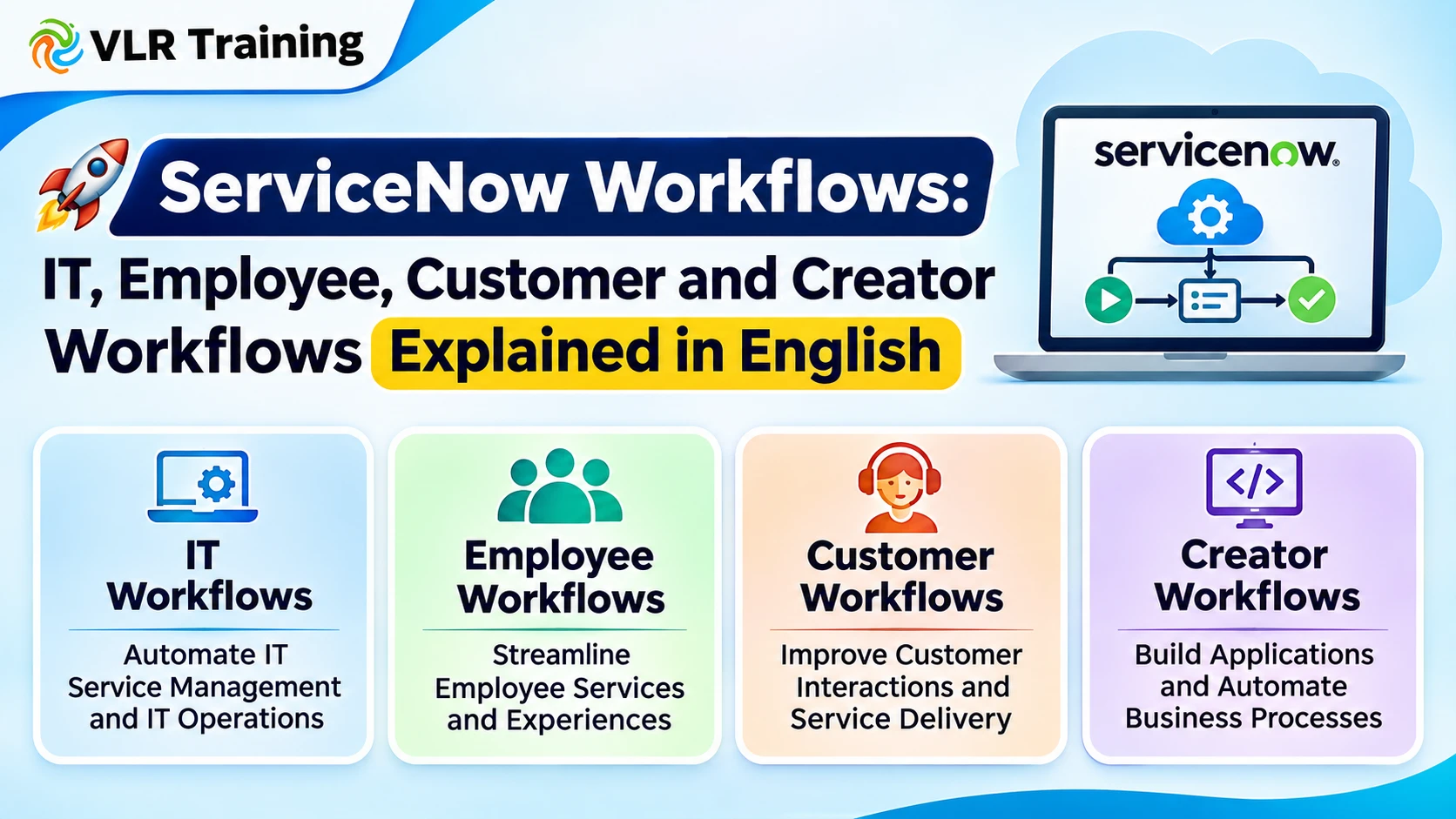
🚀 ServiceNow Workflows: IT, Employee, Customer and Creator Workflows Explained
📖 2. Introduction to ServiceNow Workflows
ServiceNow is an enterprise cloud platform that helps organizations automate business processes, streamline operations, and connect different departments through digital workflows.
Organizations generally handle multiple business processes, including IT support, employee services, customer support, security operations, and application development.
Managing these processes manually can result in delays, communication gaps, repetitive activities, and operational inefficiencies.
ServiceNow Workflows help organizations automate these processes by connecting people, applications, data, and business activities through a unified platform.
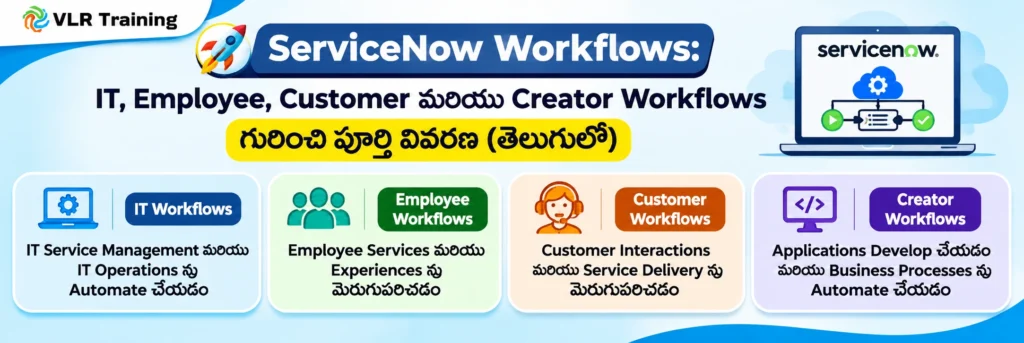
ServiceNow organizes its workflow solutions into four major categories:
- 🖥️ IT Workflows
- 👥 Employee Workflows
- 🤝 Customer Workflows
- 🛠️ Creator Workflows
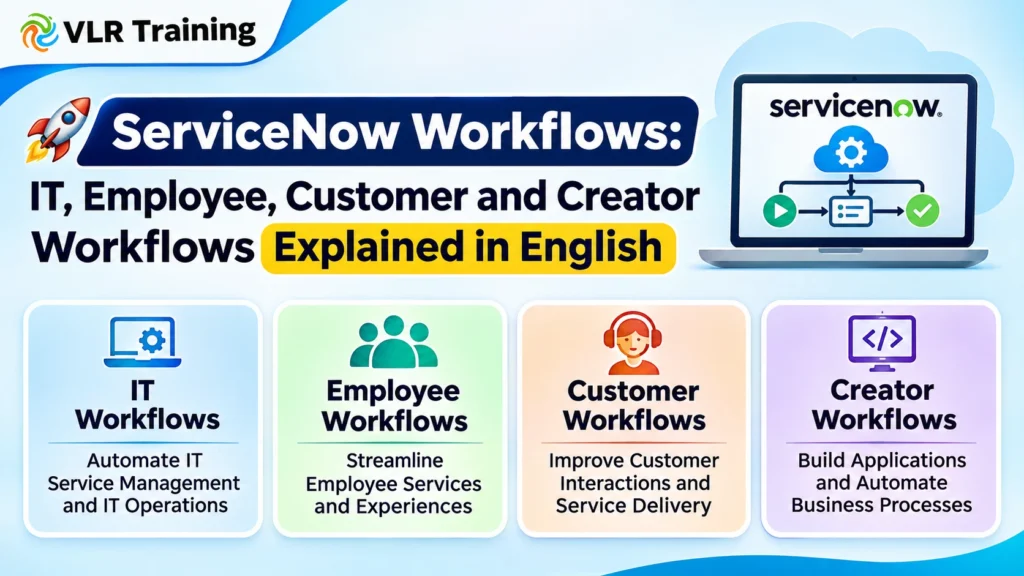
These workflow categories address different business requirements and help organizations improve productivity, efficiency, and service delivery.
For learners following VLR Training ServiceNow study material, understanding these four categories provides a strong foundation for learning the overall ServiceNow platform and its different product offerings.
🎯 3. What Are ServiceNow Workflows?
A workflow is a sequence of connected activities designed to complete a particular business process.
In an organization, many activities require multiple people, departments, approvals, and applications.
For example, when an employee reports a laptop problem:
- 📝 The employee submits an incident.
- 📩 The incident is assigned to the appropriate IT support team.
- 🔍 The support team investigates the problem.
- ✅ The issue is resolved.
- 🔔 The employee receives a notification.
- 🔒 The incident is closed.
This entire process can be managed through ServiceNow.
ServiceNow workflows help automate such processes by reducing manual activities and ensuring that tasks are completed according to predefined business rules.
⭐ Why Are ServiceNow Workflows Important?
Organizations implement ServiceNow workflows to:
- ⚙️ Automate repetitive business activities.
- 🧑💻 Reduce manual work.
- 🤝 Improve communication between departments.
- 📋 Standardize business processes.
- ✅ Manage approvals and task assignments.
- 😊 Improve employee and customer experiences.
- 🔗 Connect multiple applications and systems.
- 📈 Increase operational efficiency.
- ⏱️ Monitor business process performance.
🏗️ 4. Four Major Types of ServiceNow Workflows
ServiceNow provides four major workflow categories to support different organizational requirements.
| Workflow Category | Primary Purpose | Major Products / Capabilities |
|---|---|---|
| 🖥️ IT Workflows | Automate IT service management and IT operations | ITSM, ITAM, SecOps, GRC |
| 👥 Employee Workflows | Improve employee services and experiences | HRSD, Legal Service Delivery, Workplace Service Delivery, Safe Workplace Suite |
| 🤝 Customer Workflows | Improve customer interactions and service delivery | CSM, FSM, FSO, Telecommunications Service Management |
| 🛠️ Creator Workflows | Build applications and automate business processes | App Engine, IntegrationHub, Manufacturing Connected Workforce |
Let’s understand each workflow category in detail.
🖥️ 5. IT Workflows
📌 What Are IT Workflows?
IT Workflows help organizations automate and streamline their Information Technology (IT) operations.
Most organizations depend on IT infrastructure, applications, networks, servers, databases, and technical support teams to operate their businesses.
Managing all these activities manually can become difficult, especially in large organizations.
IT Workflows help reduce an organization’s dependency on manual processes by automating IT services and operational activities.
Note: ServiceNow’s current public product portfolio also uses the term Technology Workflows for its IT-focused solutions.
📦 Major Products and Modules Included in IT Workflows
IT Workflows cover several important ServiceNow product areas.
🔹 5.1 ITSM – IT Service Management
IT Service Management (ITSM) helps organizations manage their IT services and support operations.
It provides a structured approach to handling IT service requests, incidents, problems, and changes.
Important ITSM capabilities include:
- Incident Management
- Problem Management
- Change Management
- Request Management
- Service Catalog
- Knowledge Management
- Service Level Management
💡 Real-Time Example:
Consider an employee working in a software company.
Suddenly, the employee’s laptop stops connecting to the company network.
The employee creates an incident in ServiceNow.
The IT support team receives the incident, investigates the issue, and resolves it.
The employee receives a notification after the issue is resolved.
This complete process can be managed using ITSM.
🔹 5.2 ITAM – IT Asset Management
IT Asset Management (ITAM) helps organizations manage the complete lifecycle of their IT assets.
IT assets include hardware, software, and other technology resources used by an organization.
ITAM helps organizations track asset ownership, usage, costs, and lifecycle information.
Important activities include:
- 💻 Hardware Asset Management.
- 💿 Software Asset Management.
- 🛒 Asset Procurement.
- 📍 Asset Tracking.
- 🔧 Asset Maintenance.
- ♻️ Asset Retirement.
- 📃 Software License Management.
💡 Real-Time Example:
Consider an organization with 2,000 employees.
The organization provides laptops to its employees.
The IT department needs to maintain information about:
- Laptop serial numbers.
- Assigned employees.
- Purchase dates.
- Warranty information.
- Asset status.
- Replacement dates.
ITAM helps maintain and manage this information throughout the asset lifecycle.
🔹 5.3 SecOps – Security Operations
Security Operations (SecOps) helps organizations identify, investigate, prioritize, and respond to security threats.
Modern organizations face several cybersecurity risks, such as:
- 🔐 Unauthorized access.
- 🚨 Security incidents.
- 🛡️ Vulnerabilities.
- 👀 Suspicious activities.
- 🦠 Malware-related threats.
- 🔒 Data security risks.
ServiceNow Security Operations helps security teams manage security-related workflows and coordinate incident response activities.
Important capabilities include:
- Security Incident Response.
- Vulnerability Response.
- Threat Intelligence.
- Security Incident Management.
💡 Real-Time Example:
Suppose a company identifies a critical vulnerability in one of its business applications.
The security team identifies the affected systems, assesses the risk, assigns remediation activities, and tracks the resolution.
SecOps helps manage and coordinate these activities.
🔹 5.4 GRC – Governance, Risk and Compliance
Governance, Risk, and Compliance (GRC) helps organizations manage business risks, policies, compliance requirements, and internal controls.
Organizations must follow different regulatory, security, and internal business requirements.
GRC helps manage these requirements systematically.
Important activities include:
- ⚖️ Risk Management.
- 📜 Policy Management.
- ✅ Compliance Management.
- 🔍 Audit Management.
- 🛡️ Control Management.
- 🤝 Third-Party Risk Management.
💡 Real-Time Example:
A financial organization must follow regulatory requirements and internal security policies.
The organization needs to identify risks, monitor compliance, maintain evidence, and track audit activities.
GRC capabilities help manage these activities through structured workflows.
🔹 Additional IT Workflow Areas
ServiceNow’s current Technology Workflows portfolio also includes other solutions, such as:
- IT Operations Management (ITOM).
- DevOps.
- Strategic Portfolio Management.
- Telecommunications Service Operations Management.
- Operational Technology Management.
These solutions extend IT workflows beyond traditional IT service management.
🌐 Official Reference: ServiceNow Technology Workflows
👥 6. Employee Workflows
📌 What Are Employee Workflows?
Employee Workflows help organizations simplify and automate processes that employees use during their day-to-day activities.
Employees interact with different departments, such as:
- 🏢 Human Resources.
- 💻 Information Technology.
- 🏬 Facilities Management.
- ⚖️ Legal Departments.
- 🪑 Workplace Administration.
Managing these activities separately can create complexity for employees.
Employee Workflows provide connected digital experiences that allow employees to access organizational services through centralized processes.
📦 Major Products and Modules Included in Employee Workflows
🔹 6.1 HRSD – HR Service Delivery
HR Service Delivery (HRSD) helps organizations automate Human Resources-related services and employee lifecycle activities.
HR departments manage various employee-related processes, from recruitment and onboarding to transfers and employee exits.
HRSD helps streamline these activities.
Important capabilities include:
- 👋 Employee Onboarding.
- 🚪 Employee Offboarding.
- 📋 HR Case Management.
- 📝 Employee Requests.
- 🔄 Employee Lifecycle Management.
- 📚 HR Knowledge Management.
- 🧑💻 Employee Self-Service.
💡 Real-Time Example:
Suppose a new employee joins an organization.
The HR department needs to complete several activities:
- Create the employee’s HR record.
- Collect required documents.
- Coordinate with the IT department for laptop allocation.
- Arrange employee access.
- Complete onboarding formalities.
- Provide information about company policies.
HRSD helps coordinate and automate these activities.
🔹 6.2 LSD – Legal Service Delivery
Legal Service Delivery helps organizations manage legal department activities and legal service requests.
Large organizations deal with different legal requirements, contracts, agreements, compliance activities, and internal legal consultations.
Legal Service Delivery helps organize and streamline these processes.
Important activities include:
- ⚖️ Legal Service Requests.
- 📄 Contract Management.
- 📋 Legal Case Management.
- ✅ Legal Approvals.
- 🗂️ Legal Document Management.
- 📑 Legal Matter Management.
💡 Real-Time Example:
Suppose an employee needs legal assistance regarding a business contract.
The employee submits a legal service request.
The legal department receives the request, reviews the contract, assigns the required activities, and completes the review process.
Legal Service Delivery helps manage this process.
🔹 6.3 Workplace Service Delivery
Workplace Service Delivery helps organizations manage workplace-related services and facilities.
Companies need to maintain their offices, meeting rooms, workplace resources, and employee facilities.
Workplace Service Delivery helps employees access these services through digital workflows.
Important activities include:
- 🏢 Workplace Service Requests.
- 🗓️ Meeting Room Reservations.
- 🪑 Workplace Resource Management.
- 📍 Office Space Management.
- 🔧 Facilities Requests.
- 👥 Employee Workplace Services.
💡 Real-Time Example:
An employee wants to reserve a meeting room for a project discussion.
The employee submits a room reservation request.
The workplace team or configured reservation process manages the request and confirms the reservation.
🔹 6.4 Safe Workplace Suite
Safe Workplace Suite supports workplace safety-related processes and employee workplace experiences.
Organizations may need to manage workplace safety requirements, employee communications, and procedures related to returning to physical office locations.
Safe Workplace capabilities help coordinate these activities.
Examples include:
- 🛡️ Workplace Safety Processes.
- 🗓️ Employee Workplace Reservations.
- 🏢 Return-to-Workplace Activities.
- ✅ Workplace Readiness.
- 📢 Employee Safety-Related Services.
The availability and relevance of this solution depend on the organization’s requirements and ServiceNow product portfolio.
⭐ Benefits of Employee Workflows
Employee Workflows help organizations:
- 😊 Improve employee experiences.
- ⚙️ Simplify HR processes.
- ⏱️ Reduce manual administrative activities.
- 🏢 Improve workplace service delivery.
- ⚖️ Manage legal service requests.
- 📍 Centralize employee service experiences.
- 🤝 Improve communication between departments.
🤝 7. Customer Workflows
📌 What Are Customer Workflows?
Customer Workflows help organizations automate and improve interactions between their customers and the organization.
Every business needs to provide services and support to its customers.
For example, telecom companies, banks, financial institutions, and service-based organizations regularly interact with customers to resolve issues, handle requests, and deliver services.
Customer Workflows help organizations connect customer-facing teams with internal operations.
They improve customer experiences by streamlining communication, service requests, customer support, and field operations.
📦 Major Products and Modules Included in Customer Workflows
🔹 7.1 CSM – Customer Service Management
Customer Service Management (CSM) helps organizations manage customer service activities and customer support requests.
It provides a structured way to handle customer issues, inquiries, cases, and service requests.
Important capabilities include:
- 📋 Customer Case Management.
- 🎧 Customer Support.
- 🧑💻 Customer Self-Service.
- 📢 Customer Communication.
- 📚 Knowledge Management.
- ⚙️ Customer Service Operations.
- 🚨 Case Assignment and Escalation.
💡 Real-Time Example:
Suppose a customer purchases an internet connection from a telecom company.
After installation, the internet connection stops working.
The customer contacts the company’s support team and creates a service case.
The customer service team receives the case, investigates the issue, coordinates with the technical team, and resolves the problem.
CSM helps manage this complete customer support process.
🔹 7.2 FSM – Field Service Management
Field Service Management (FSM) helps organizations manage field technicians and on-site service activities.
Many organizations send technicians to customer locations to install, repair, inspect, or maintain equipment.
Managing these activities manually can create scheduling and coordination problems.
FSM helps organizations manage field service operations.
Important capabilities include:
- 📝 Work Order Management.
- 🗓️ Technician Scheduling.
- 🚚 Dispatch Management.
- 🔧 Field Service Operations.
- 📱 Mobile Workforce Management.
- 📅 Service Appointment Management.
- 📍 Field Task Tracking.
💡 Real-Time Example:
Suppose a customer reports a problem with a broadband connection.
The customer service team creates a field service requirement.
The organization assigns a technician to visit the customer’s location.
The technician receives the work details, visits the location, repairs the issue, and updates the work order.
FSM helps manage this complete process.
🔹 7.3 FSO – Financial Services Operations
Financial Services Operations (FSO) helps financial organizations automate and streamline customer-oriented financial service processes.
Banks and financial institutions handle different customer requests, financial operations, and service-related activities.
FSO helps connect financial service operations with customer service processes.
Examples of relevant financial service activities include:
- 🏦 Banking Service Requests.
- 📋 Financial Service Cases.
- 💳 Customer Financial Operations.
- ⚙️ Financial Service Process Management.
- 🤝 Financial Customer Support.
💡 Real-Time Example:
Suppose a bank customer reports an issue with a financial service.
The customer submits a support request.
The bank’s service team reviews the request, coordinates with the responsible department, and manages the resolution.
FSO supports financial service-related workflows.
🔹 7.4 Telecommunications Service Management
Telecommunications Service Management helps telecom organizations manage service operations and improve customer experiences.
Telecommunication companies manage complex networks, services, customer requests, and operational activities.
This solution helps connect telecom service operations with customer-facing processes.
Examples include:
- 📡 Telecom Service Management.
- 🎧 Telecom Customer Support.
- ⚙️ Telecom Service Operations.
- 🚨 Service Issue Management.
- 🔗 Telecom Network-to-Customer Process Coordination.
💡 Real-Time Example:
Suppose a telecom customer experiences repeated network connectivity problems.
The customer reports the issue to the telecom company.
The support team investigates the problem and coordinates with network operations teams.
The relevant teams work together to identify and resolve the issue.
Telecommunications Service Management helps connect these operational activities.
⭐ Benefits of Customer Workflows
Customer Workflows help organizations:
- 😊 Improve customer satisfaction.
- ⚙️ Automate customer support processes.
- 📋 Manage customer cases.
- 🚚 Improve field service operations.
- 🤝 Coordinate customer-facing and back-office teams.
- ⏱️ Reduce delays in issue resolution.
- 📈 Improve service delivery.
🛠️ 8. Creator Workflows
📌 What Are Creator Workflows?
Creator Workflows help organizations build custom applications and automate business processes using low-code development capabilities.
In traditional software development, application development generally requires developers to write code, design applications, test functionality, and deploy solutions.
However, every business requirement does not necessarily require a completely code-intensive development process.
Organizations may have business users who understand their processes and want to create applications to automate their daily activities.
Creator Workflows help these users build applications and business workflows with low-code tools and reusable components.
Professional developers can also contribute by creating reusable components and application building blocks.
👨💻 What Are Citizen Developers?
Citizen Developers are business users who create applications or automate processes using low-code or no-code development platforms.
They may not have extensive programming experience.
However, they understand their organization’s business processes and can use appropriate development tools to create solutions.
💡 Example:
Suppose an HR department wants an application to manage employee equipment requests.
A business user can use a low-code application development platform to create an application for:
- 📝 Submitting equipment requests.
- 👤 Capturing employee information.
- ✅ Managing approval requirements.
- 📋 Assigning fulfillment tasks.
- 📊 Tracking request status.
This helps organizations digitize business processes without depending entirely on traditional application development.
📦 Major Products Included in Creator Workflows
🔹 8.1 App Engine
App Engine is a ServiceNow application development solution that helps developers and business users build custom applications using low-code capabilities.
It helps organizations create applications for their specific business requirements.
Important capabilities include:
- 🧩 Low-Code Application Development.
- 📋 Application Templates.
- ♻️ Reusable Application Components.
- 🛠️ Custom Application Development.
- ⚙️ Business Process Automation.
- 📱 Application Management.
💡 Real-Time Example:
Suppose a company wants to develop an internal visitor management application.
The application should support:
- Visitor registration.
- Employee information.
- Visitor approval.
- Security verification.
- Visitor entry tracking.
- Visitor exit tracking.
Using App Engine, an application can be developed to manage these activities.
🔹 8.2 IntegrationHub
IntegrationHub helps connect ServiceNow with external applications, systems, and services.
Modern organizations use multiple applications to manage their business operations.
For example:
- Microsoft Teams.
- Microsoft Azure.
- Salesforce.
- External REST APIs.
- Enterprise applications.
- Third-party business systems.
IntegrationHub provides integration capabilities that allow ServiceNow workflows to exchange information and perform actions in external systems.
Important capabilities include:
- 🔗 Prebuilt Integration Spokes.
- 🧩 Reusable Integration Actions.
- 🌐 External System Connectivity.
- 🔌 API-Based Integrations.
- ⚙️ Integration Automation.
- 🔄 Data Exchange Between Applications.
💡 Real-Time Example:
Suppose an organization uses ServiceNow for IT service management and Microsoft Teams for employee communication.
When an important IT incident is created, the organization may want to send a notification to a Microsoft Teams channel.
An IntegrationHub-based integration can help connect the ServiceNow process with the external communication application.
🔄 Relationship Between IntegrationHub and Flow Designer
IntegrationHub works with ServiceNow’s flow automation capabilities.
Flow Designer is used to design and automate business processes.
IntegrationHub extends integration capabilities by providing integration actions, spokes, and steps that allow workflows to communicate with external applications.
Example Process:
- A trigger starts a flow in ServiceNow.
- The flow evaluates the required conditions.
- An IntegrationHub action connects to an external application.
- Information is exchanged between the systems.
- The flow continues with the next configured activity.
This allows organizations to automate processes across multiple applications.
Important: Flow Designer and IntegrationHub have related but distinct responsibilities.
🔹 8.3 Manufacturing Connected Workforce
Manufacturing Connected Workforce helps manufacturing organizations digitize and streamline operational procedures.
Manufacturing companies have several operational activities involving production teams, workers, equipment, and industrial processes.
Connected Workforce capabilities help improve worker productivity through digital processes and connected operations.
Examples include:
- 📋 Digital Work Instructions.
- 🏭 Manufacturing Process Management.
- 👷 Worker Productivity.
- 📱 Operational Procedure Digitization.
- 🤝 Workforce Coordination.
💡 Real-Time Example:
Suppose a manufacturing organization needs to manage equipment maintenance activities.
Workers need access to maintenance procedures, task information, and operational instructions.
Digital workflows can help organize these activities and improve coordination.
⭐ Benefits of Creator Workflows
Creator Workflows help organizations:
- 🛠️ Develop custom business applications.
- ⏱️ Reduce application development time.
- 👨💻 Enable citizen developers.
- ♻️ Reuse application components.
- ⚙️ Automate business processes.
- 🔗 Connect external applications.
- 🤝 Improve collaboration between business users and professional developers.
- 🚀 Accelerate digital transformation.
🌐 Official Reference: ServiceNow Creator Workflows
🔄 9. How Do ServiceNow Workflows Work?
Although the four workflow categories address different business requirements, the general concept of workflow automation is similar.
A typical automated business process follows these stages.
1️⃣ Step 1: Trigger
A workflow starts when a predefined event or condition occurs.
Examples:
- An employee submits an incident.
- A customer creates a support case.
- An employee submits a leave request.
- A manager creates an approval request.
2️⃣ Step 2: Process the Information
The system processes the information submitted by the user or generated by another application.
For example, when an employee reports a laptop issue, the system captures the incident details and associated information.
3️⃣ Step 3: Apply Business Rules
The workflow evaluates predefined conditions and business rules.
For example:
- What type of incident was reported?
- Which support team should handle it?
- Does the request require approval?
- What priority should be assigned?
4️⃣ Step 4: Assign Tasks
The workflow assigns activities to the appropriate users or groups.
For example, an IT incident may be assigned to the desktop support team.
5️⃣ Step 5: Execute Actions
The workflow performs the required activities.
Examples include:
- Creating tasks.
- Sending notifications.
- Requesting approvals.
- Updating records.
- Connecting external applications.
6️⃣ Step 6: Complete the Process
After all required activities are completed, the process reaches its final state.
The system can maintain information about the completed activities and their status.
🏢 10. Practical Real-Time Example: ServiceNow Workflows in an Organization
Consider a multinational software company with 5,000 employees.
The company uses ServiceNow to manage its IT operations, employees, customers, and application development requirements.
Different departments can use different workflow categories.
| Department | Business Requirement | ServiceNow Workflow |
|---|---|---|
| 🖥️ IT Support | Resolve employee laptop issues | IT Workflows |
| 💻 IT Asset Team | Track employee laptops | IT Workflows |
| 🛡️ Security Team | Manage security incidents | IT Workflows |
| 👥 HR Department | Manage employee onboarding | Employee Workflows |
| ⚖️ Legal Department | Manage contract approvals | Employee Workflows |
| 🏢 Facilities Team | Manage office services | Employee Workflows |
| 🎧 Customer Support | Resolve customer complaints | Customer Workflows |
| 🚚 Field Technicians | Manage on-site repairs | Customer Workflows |
| 🛠️ Application Development Team | Develop internal applications | Creator Workflows |
| 🔗 Integration Team | Connect external applications | Creator Workflows |
💡 Example 1: New Employee Onboarding
When a new employee joins the organization, multiple departments must perform different activities.
Using Employee Workflows:
- HR initiates the employee onboarding process.
- The employee completes the required information.
- IT receives a request to provide a laptop.
- The IT asset team allocates an available laptop.
- The facilities team arranges workplace requirements.
- The required departments complete their tasks.
- The onboarding process is completed.
💡 Example 2: Customer Technical Support
When a customer reports an internet connectivity issue:
- The customer creates a support case.
- The customer service team reviews the case.
- The case is assigned to the appropriate support team.
- If on-site assistance is required, a field service task is created.
- The technician visits the customer location.
- The issue is resolved.
- The customer receives an update.
This demonstrates how different organizational activities can be connected using digital workflows.
📊 11. Difference Between the Four ServiceNow Workflow Categories
The following table helps distinguish the four major categories.
| Comparison | IT Workflows | Employee Workflows | Customer Workflows | Creator Workflows |
|---|---|---|---|---|
| 🎯 Primary Focus | IT operations | Employee services | Customer services | Application development |
| 👥 Main Users | IT teams | Employees and departments | Customers and service teams | Developers and citizen developers |
| ⚙️ Main Objective | Automate IT processes | Improve employee experience | Improve customer experience | Build applications and automate processes |
| 📦 Examples | Incident Management, ITAM | HRSD, Legal Services | CSM, FSM | App Engine, IntegrationHub |
| ⭐ Business Value | Better IT service delivery | Better employee productivity | Better customer satisfaction | Faster application development |
🌟 12. Advantages of ServiceNow Workflows
ServiceNow workflows provide several benefits to organizations.
🔹 12.1 Process Automation
Organizations can automate repetitive business processes and reduce manual work.
🔹 12.2 Improved Productivity
Employees can focus on important activities instead of spending time on repetitive administrative tasks.
🔹 12.3 Better Collaboration
Different departments can coordinate their activities using connected workflows.
🔹 12.4 Faster Service Delivery
Automated processes help organizations complete requests and resolve issues more efficiently.
🔹 12.5 Better Customer Experience
Customer-facing teams can manage customer interactions and service requirements more effectively.
🔹 12.6 Application Development
Creator Workflows provide low-code capabilities that help organizations develop applications for business requirements.
🔹 12.7 Integration Capabilities
IntegrationHub helps connect ServiceNow with external systems and applications.
🔹 12.8 Standardized Business Processes
Organizations can establish consistent processes for handling requests, approvals, and business activities.
⚠️ 13. Technical Clarifications and Important Terminology
Some terminology in workflow discussions needs special attention.
| Term | Correct Terminology / Explanation |
|---|---|
| Creative Workflows | Creator Workflows |
| IT Workflows | IT-focused workflow portfolio; currently presented as Technology Workflows on ServiceNow’s public product page |
| ITAM | IT Asset Management |
| SecOps | Security Operations |
| GRC | Governance, Risk, and Compliance |
| IR | The reference is ambiguous; do not treat IR alone as a confirmed product name |
| LSD | Legal Service Delivery |
| FSM | Field Service Management |
| FSO | Financial Services Operations |
| CSM | Customer Service Management |
| IntegrationHub | Integration capability used with Flow Designer and Workflow Studio |
| Manufacturing Connected Workforce | The complete product name, not three separate product names |
🔍 Important Distinction: Workflow Categories vs. Flow Designer
Do not confuse the four major ServiceNow workflow categories with Flow Designer.
The four categories represent broad business and product areas:
- 🖥️ IT Workflows.
- 👥 Employee Workflows.
- 🤝 Customer Workflows.
- 🛠️ Creator Workflows.
Flow Designer is a platform capability used to create and automate individual business processes.
For example, an organization can use Flow Designer to automate an approval process within an IT, employee, or customer service requirement.
📝 14. Important Points to Remember
- ✅ ServiceNow provides four major workflow categories: IT, Employee, Customer, and Creator Workflows.
- 🖥️ IT Workflows focus on IT service management and IT operations.
- 📋 ITSM includes Incident Management, Problem Management, Change Management, and Request Management.
- 💻 ITAM helps manage the lifecycle of IT assets.
- 🛡️ SecOps supports security-related operations.
- ⚖️ GRC helps manage governance, risks, and compliance.
- 👥 Employee Workflows support HR, legal, and workplace-related services.
- 🧑💼 HRSD stands for HR Service Delivery.
- 📄 Legal Service Delivery helps manage organizational legal processes.
- 🏢 Workplace Service Delivery supports workplace-related services.
- 🤝 Customer Workflows improve customer interactions and service delivery.
- 🎧 CSM stands for Customer Service Management.
- 🚚 FSM stands for Field Service Management.
- 🏦 FSO stands for Financial Services Operations.
- 🛠️ Creator Workflows support low-code application development.
- 🧩 App Engine helps develop custom applications.
- 🔗 IntegrationHub provides integration capabilities for connecting external applications.
- ⚙️ Flow Designer helps automate business processes.
- 👨💻 Citizen Developers can build applications using low-code tools.
- 📌 The availability of individual products depends on the organization’s ServiceNow subscriptions and implementation.
For VLR Training ServiceNow learners, understanding the difference between these four categories is important before moving into individual modules and practical implementation.
❓ 15. Frequently Asked Questions (FAQs)
Q1. What are the four major ServiceNow workflows?
The four major workflow categories are:
- 🖥️ IT Workflows.
- 👥 Employee Workflows.
- 🤝 Customer Workflows.
- 🛠️ Creator Workflows.
Q2. What is the main purpose of IT Workflows?
IT Workflows help organizations automate IT service management and IT operations.
They include capabilities such as ITSM, ITAM, SecOps, and GRC.
Q3. What is ITSM in ServiceNow?
ITSM stands for IT Service Management.
It helps organizations manage IT services through processes such as Incident Management, Problem Management, Change Management, and Request Management.
Q4. What is ITAM?
ITAM stands for IT Asset Management.
It helps organizations track and manage hardware, software, and other IT assets throughout their lifecycle.
Q5. What is the difference between IT Workflows and Employee Workflows?
IT Workflows focus on IT-related activities, such as incident resolution, asset management, and IT service requests.
Employee Workflows focus on employee-related services, such as HR requests, legal services, and workplace management.
Q6. What is HRSD in ServiceNow?
HRSD stands for HR Service Delivery.
It helps organizations manage HR services, employee requests, onboarding, offboarding, and other HR-related processes.
Q7. What is CSM in ServiceNow?
CSM stands for Customer Service Management.
It helps organizations manage customer cases, customer support requests, and customer service activities.
Q8. What is FSM in ServiceNow?
FSM stands for Field Service Management.
It helps organizations manage field technicians, work orders, scheduling, dispatching, and on-site service activities.
Q9. What are Creator Workflows?
Creator Workflows help organizations develop custom applications and automate business processes using low-code application development tools.
Q10. What is App Engine in ServiceNow?
App Engine is a ServiceNow solution that allows developers and business users to build custom applications using low-code development capabilities.
Q11. What is IntegrationHub?
IntegrationHub is a ServiceNow integration capability that helps connect ServiceNow with external applications and systems.
Q12. What is the relationship between IntegrationHub and Flow Designer?
Flow Designer is used to build business process automations.
IntegrationHub extends these automations by providing integration actions and capabilities for communicating with external systems.
Q13. Who are Citizen Developers?
Citizen Developers are business users who develop applications or automate processes using low-code or no-code development tools without necessarily having extensive programming knowledge.
Q14. Can an organization use all four ServiceNow workflow categories?
Yes. Organizations can adopt multiple workflow categories based on their business requirements, purchased products, licensing, and implementation plans.
Q15. Are ServiceNow Workflows and Flow Designer the same?
No.
ServiceNow Workflows represent broad business solution categories, whereas Flow Designer is a tool used to design and automate individual processes.
🎓 16. Conclusion
ServiceNow Workflows play an important role in automating enterprise business processes.
The four major workflow categories address different organizational requirements:
🖥️ IT Workflows
Help automate IT services, asset management, security operations, and risk management.
👥 Employee Workflows
Help simplify HR, legal, workplace, and employee service processes.
🤝 Customer Workflows
Help improve customer service, field operations, and customer interactions.
🛠️ Creator Workflows
Help developers and citizen developers create custom applications and automate business processes using low-code capabilities.
Understanding these categories provides a foundation for exploring ServiceNow’s different products and solutions.
VLR Training ServiceNow recommends learning these four workflow categories before progressing into individual ServiceNow modules, administration, development, and practical implementation.
🔗 17. Reference URLs
The following official ServiceNow resources provide additional information:
- 🖥️ Technology Workflows: https://www.servicenow.com/workflows/it-workflows.html
- 🛠️ Creator Workflows: https://www.servicenow.com/workflows/creator-workflows.html
- ⚙️ Flow Designer Documentation: https://www.servicenow.com/docs/r/application-development/flow-designer.html?contentId=rZaEg_PjkgH~nzf8rXjB9g
📚 End of Article
🚀 ServiceNow Workflows: IT, Employee, Customer మరియు Creator Workflows గురించి పూర్తి వివరణ
📖 2. ServiceNow Workflows అంటే ఏమిటి?
ServiceNow అనేది ఒక Enterprise Cloud Platform. ఇది సంస్థలకు తమ Business Processes ను Automate చేయడానికి, Operations ను Streamline చేయడానికి మరియు వివిధ Departments ను ఒకే Digital Platform ద్వారా అనుసంధానించడానికి సహాయపడుతుంది.
ప్రతి సంస్థలో వివిధ రకాల Business Processes ఉంటాయి. ఉదాహరణకు:
- IT Support
- Employee Services
- Customer Support
- Security Operations
- Application Development
- Asset Management
- HR Operations
ఈ Activities అన్నింటినీ Manual గా నిర్వహించడం వల్ల అనేక సమస్యలు ఎదురవుతాయి. ముఖ్యంగా పని ఆలస్యం కావడం, Communication Gaps, Repetitive Activities మరియు Operational Inefficiencies ఏర్పడతాయి.
ఈ సమస్యలను పరిష్కరించడానికి ServiceNow Workflows ఉపయోగపడతాయి.
ServiceNow Workflows ద్వారా People, Applications, Data మరియు Business Activities ను ఒకదానితో మరొకటి Connect చేసి Business Processes ను Automate చేయవచ్చు.
ServiceNow Workflows ను ప్రధానంగా నాలుగు Categories గా విభజించారు.
- 🖥️ IT Workflows
- 👥 Employee Workflows
- 🤝 Customer Workflows
- 🛠️ Creator Workflows
ఈ నాలుగు Workflow Categories సంస్థల్లోని వివిధ Business Requirements ను పరిష్కరించడానికి ఉపయోగపడతాయి.
VLR Training ServiceNow Learning Material లో ఈ నాలుగు Categories గురించి తెలుసుకోవడం ద్వారా మొత్తం ServiceNow Platform మరియు దానిలోని వివిధ Products పై మంచి అవగాహన ఏర్పడుతుంది.
🎯 3. ServiceNow Workflows యొక్క ప్రాముఖ్యత ఏమిటి?
Workflow అంటే ఒక నిర్దిష్ట Business Process ను పూర్తి చేయడానికి ఒక క్రమ పద్ధతిలో అనుసంధానించబడిన Activities యొక్క సమూహం.
ఒక సంస్థలో అనేక Activities నిర్వహించడానికి Employees, Departments, Approvals మరియు Applications అవసరమవుతాయి.
ఉదాహరణకు, ఒక Employee తన Laptop పనిచేయడం లేదని IT Department కు Complaint ఇచ్చాడనుకుందాం.
ఈ సమయంలో జరిగే Process:
- 📝 Employee ServiceNow లో Incident Submit చేస్తాడు.
- 📩 ఆ Incident సంబంధిత IT Support Team కు Assign అవుతుంది.
- 🔍 Support Team సమస్యను Investigate చేస్తుంది.
- ✅ సమస్యను Resolve చేస్తుంది.
- 🔔 Employee కు Notification అందుతుంది.
- 🔒 Incident Close అవుతుంది.
ఈ మొత్తం Process ను ServiceNow ద్వారా Manage చేయవచ్చు.
ServiceNow Workflows ద్వారా ఇలాంటి Activities ను Automate చేయవచ్చు. దీనివల్ల Manual Work తగ్గుతుంది మరియు Business Processes ఒక నిర్దిష్ట విధానంలో పూర్తవుతాయి.
⭐ ServiceNow Workflows ఎందుకు అవసరం?
Organizations ServiceNow Workflows ను ఉపయోగించడం వల్ల అనేక ప్రయోజనాలు ఉంటాయి.
- ⚙️ Repetitive Business Activities ను Automate చేయవచ్చు.
- 🧑💻 Manual Work తగ్గించవచ్చు.
- 🤝 Departments మధ్య Communication మెరుగుపడుతుంది.
- 📋 Business Processes ను Standardize చేయవచ్చు.
- ✅ Approvals మరియు Task Assignments ను Manage చేయవచ్చు.
- 😊 Employee మరియు Customer Experiences మెరుగుపడతాయి.
- 🔗 Multiple Applications మరియు Systems ను Connect చేయవచ్చు.
- 📈 Operational Efficiency పెరుగుతుంది.
- ⏱️ Business Process Performance ను Monitor చేయవచ్చు.
🏗️ 4. ServiceNowలోని నాలుగు ప్రధాన Workflow Categories
ServiceNow సంస్థల వివిధ Business Requirements ను పరిష్కరించడానికి నాలుగు ప్రధాన Workflow Categories ను అందిస్తుంది.
| Workflow Category | ప్రధాన ఉద్దేశ్యం | ముఖ్యమైన Products / Capabilities |
|---|---|---|
| 🖥️ IT Workflows | IT Service Management మరియు IT Operations ను Automate చేయడం | ITSM, ITAM, SecOps, GRC |
| 👥 Employee Workflows | Employee Services మరియు Experiences ను మెరుగుపరచడం | HRSD, Legal Service Delivery, Workplace Service Delivery, Safe Workplace Suite |
| 🤝 Customer Workflows | Customer Interactions మరియు Service Delivery ను మెరుగుపరచడం | CSM, FSM, FSO, Telecommunications Service Management |
| 🛠️ Creator Workflows | Applications Develop చేయడం మరియు Business Processes Automate చేయడం | App Engine, IntegrationHub, Manufacturing Connected Workforce |
ఇప్పుడు ప్రతి Workflow Category గురించి వివరంగా తెలుసుకుందాం.
🖥️ 5. IT Workflows
📌 IT Workflows అంటే ఏమిటి?
IT Workflows అనేవి సంస్థలలోని Information Technology (IT) Operations ను Automate చేయడానికి మరియు Streamline చేయడానికి ఉపయోగపడతాయి.
ప్రతి సంస్థ తన Business Operations నిర్వహించడానికి IT Infrastructure, Applications, Networks, Servers, Databases మరియు Technical Support Teams పై ఆధారపడుతుంది.
ఇవన్నీ Manual గా Manage చేయడం ముఖ్యంగా పెద్ద సంస్థల్లో చాలా కష్టంగా ఉంటుంది.
IT Workflows ద్వారా సంస్థలోని IT Processes ను Automate చేసి Manual Activities పై ఆధారపడటాన్ని తగ్గించవచ్చు.
గమనిక: ServiceNow యొక్క ప్రస్తుత Public Product Portfolio లో IT సంబంధిత Solutions ను Technology Workflows అనే పేరుతో కూడా అందిస్తున్నారు.
📦 IT Workflowsలో ఉండే ముఖ్యమైన Products మరియు Modules
IT Workflows కింద అనేక ముఖ్యమైన ServiceNow Product Areas ఉంటాయి.
🔹 5.1 ITSM – IT Service Management
ITSM (IT Service Management) అనేది సంస్థల్లో IT Services మరియు IT Support Operations ను Manage చేయడానికి ఉపయోగపడుతుంది.
IT Services కు సంబంధించిన Service Requests, Incidents, Problems మరియు Changes ను ఒక నిర్దిష్ట పద్ధతిలో నిర్వహించడానికి ITSM సహాయపడుతుంది.
ముఖ్యమైన ITSM Capabilities:
- Incident Management
- Problem Management
- Change Management
- Request Management
- Service Catalog
- Knowledge Management
- Service Level Management
💡 Real-Time Example:
ఒక Software Company లో Employee పనిచేస్తున్నాడనుకుందాం.
ఒకరోజు అతని Laptop Company Network కు Connect కావడం లేదు.
అప్పుడు Employee ServiceNow లో Incident Create చేస్తాడు.
IT Support Team ఆ Incident ను Receive చేసి సమస్యను Investigate చేస్తుంది.
సమస్యను Resolve చేసిన తర్వాత Employee కు Notification వెళ్తుంది.
ఈ మొత్తం Process ను ITSM ద్వారా Manage చేయవచ్చు.
🔹 5.2 ITAM – IT Asset Management
ITAM (IT Asset Management) అనేది సంస్థలోని IT Assets యొక్క Complete Lifecycle ను Manage చేయడానికి ఉపయోగపడుతుంది.
IT Assets అంటే సంస్థలో ఉపయోగించే Hardware, Software మరియు ఇతర Technology Resources.
ITAM ద్వారా Assets యొక్క Ownership, Usage, Cost మరియు Lifecycle Information ను Track చేయవచ్చు.
ముఖ్యమైన Activities:
- 💻 Hardware Asset Management
- 💿 Software Asset Management
- 🛒 Asset Procurement
- 📍 Asset Tracking
- 🔧 Asset Maintenance
- ♻️ Asset Retirement
- 📃 Software License Management
💡 Real-Time Example:
ఒక సంస్థలో 2,000 మంది Employees ఉన్నారని అనుకుందాం.
ఆ సంస్థ ప్రతి Employee కు ఒక Laptop అందిస్తుంది.
ఇప్పుడు IT Department ప్రతి Laptop కు సంబంధించిన క్రింది వివరాలను Maintain చేయాలి.
- Laptop Serial Number
- Assigned Employee
- Purchase Date
- Warranty Information
- Asset Status
- Replacement Date
ITAM ద్వారా ఈ Asset Information మొత్తాన్ని Maintain చేసి, Asset Lifecycle అంతటినీ Manage చేయవచ్చు.
🔹 5.3 SecOps – Security Operations
SecOps (Security Operations) అనేది సంస్థల్లో Security Threats ను Identify చేయడానికి, Investigate చేయడానికి, Prioritize చేయడానికి మరియు Respond చేయడానికి ఉపయోగపడుతుంది.
ప్రస్తుత కాలంలో Organizations అనేక Cybersecurity Risks ను ఎదుర్కొంటున్నాయి.
ఉదాహరణకు:
- 🔐 Unauthorized Access
- 🚨 Security Incidents
- 🛡️ Vulnerabilities
- 👀 Suspicious Activities
- 🦠 Malware-Related Threats
- 🔒 Data Security Risks
ServiceNow Security Operations ద్వారా Security Teams తమ Security-Related Workflows ను Manage చేయవచ్చు మరియు Incident Response Activities ను Coordinate చేయవచ్చు.
ముఖ్యమైన Capabilities:
- Security Incident Response
- Vulnerability Response
- Threat Intelligence
- Security Incident Management
💡 Real-Time Example:
ఒక కంపెనీ ఉపయోగిస్తున్న Business Application లో Critical Vulnerability ఉన్నట్లు గుర్తించిందనుకుందాం.
Security Team ముందుగా ప్రభావితమైన Systems ను Identify చేస్తుంది.
తర్వాత Risk ను Assess చేసి, సంబంధిత Teams కు Remediation Activities Assign చేస్తుంది.
ఆ సమస్య పూర్తిగా Resolve అయ్యే వరకు Track చేస్తుంది.
ఈ Activities ను Manage చేయడానికి SecOps ఉపయోగపడుతుంది.
🔹 5.4 GRC – Governance, Risk and Compliance
GRC (Governance, Risk, and Compliance) అనేది సంస్థల్లో Business Risks, Policies, Compliance Requirements మరియు Internal Controls ను Manage చేయడానికి ఉపయోగపడుతుంది.
ప్రతి సంస్థ వివిధ Regulatory Requirements, Security Policies మరియు Internal Business Rules ను అనుసరించాలి.
ఈ Requirements అన్నింటినీ Systematic గా Manage చేయడానికి GRC సహాయపడుతుంది.
ముఖ్యమైన Activities:
- ⚖️ Risk Management
- 📜 Policy Management
- ✅ Compliance Management
- 🔍 Audit Management
- 🛡️ Control Management
- 🤝 Third-Party Risk Management
💡 Real-Time Example:
ఒక Financial Organization వివిధ Regulatory Requirements మరియు Internal Security Policies ను తప్పనిసరిగా Follow చేయాలి.
ఆ సంస్థకు Risks ను Identify చేయడం, Compliance ను Monitor చేయడం, Audit Evidence ను Maintain చేయడం మరియు Audit Activities ను Track చేయడం అవసరం.
ఇలాంటి Activities ను GRC Capabilities ద్వారా Manage చేయవచ్చు.
🔹 IT Workflowsలో ఉండే అదనపు Areas
ServiceNow యొక్క Technology Workflows Portfolio లో మరికొన్ని Solutions కూడా ఉన్నాయి.
- IT Operations Management (ITOM)
- DevOps
- Strategic Portfolio Management
- Telecommunications Service Operations Management
- Operational Technology Management
ఈ Solutions ద్వారా Traditional IT Service Management కు మించి అనేక IT Operations ను Manage చేయవచ్చు.
🌐 Official Reference: ServiceNow Technology Workflows
👥 6. Employee Workflows
📌 Employee Workflows అంటే ఏమిటి?
Employee Workflows అనేవి సంస్థలో Employees ప్రతిరోజూ నిర్వహించే వివిధ Activities మరియు Processes ను Simplify చేయడానికి మరియు Automate చేయడానికి ఉపయోగపడతాయి.
Employees వివిధ Departments తో Interact అవుతుంటారు.
ఉదాహరణకు:
- 🏢 Human Resources
- 💻 Information Technology
- 🏬 Facilities Management
- ⚖️ Legal Departments
- 🪑 Workplace Administration
ఈ Activities అన్నింటినీ వేర్వేరుగా Manage చేయడం వల్ల Employees కు అనేక ఇబ్బందులు ఎదురవుతాయి.
Employee Workflows ద్వారా Employees కు అవసరమైన Organizational Services ను Centralized Digital Processes ద్వారా అందించవచ్చు.
📦 Employee Workflowsలో ఉండే ముఖ్యమైన Products మరియు Modules
🔹 6.1 HRSD – HR Service Delivery
HRSD (HR Service Delivery) అనేది సంస్థల్లో Human Resources కు సంబంధించిన Services మరియు Employee Lifecycle Activities ను Automate చేయడానికి ఉపయోగపడుతుంది.
HR Department ఉద్యోగుల Recruitment మరియు Onboarding నుంచి Transfers మరియు Employee Exits వరకు అనేక Activities ను Manage చేస్తుంది.
ఈ Activities ను Streamline చేయడానికి HRSD ఉపయోగపడుతుంది.
ముఖ్యమైన Capabilities:
- 👋 Employee Onboarding
- 🚪 Employee Offboarding
- 📋 HR Case Management
- 📝 Employee Requests
- 🔄 Employee Lifecycle Management
- 📚 HR Knowledge Management
- 🧑💻 Employee Self-Service
💡 Real-Time Example:
ఒక కొత్త Employee సంస్థలో Join అయ్యాడనుకుందాం.
ఇప్పుడు HR Department కొన్ని Activities ను Complete చేయాలి.
- Employee HR Record Create చేయాలి.
- అవసరమైన Documents Collect చేయాలి.
- Laptop Allocation కోసం IT Department తో Coordinate చేయాలి.
- Employee కు అవసరమైన System Access Arrange చేయాలి.
- Onboarding Formalities Complete చేయాలి.
- Company Policies గురించి Employee కు Information అందించాలి.
ఈ Activities ను HRSD ద్వారా Coordinate చేసి Automate చేయవచ్చు.
🔹 6.2 LSD – Legal Service Delivery
Legal Service Delivery అనేది సంస్థల్లో Legal Department కు సంబంధించిన Activities మరియు Legal Service Requests ను Manage చేయడానికి ఉపయోగపడుతుంది.
పెద్ద సంస్థల్లో Contracts, Agreements, Compliance Activities మరియు Internal Legal Consultations వంటి అనేక Legal Requirements ఉంటాయి.
ఈ Processes ను Organize చేయడానికి మరియు Streamline చేయడానికి Legal Service Delivery ఉపయోగపడుతుంది.
ముఖ్యమైన Activities:
- ⚖️ Legal Service Requests
- 📄 Contract Management
- 📋 Legal Case Management
- ✅ Legal Approvals
- 🗂️ Legal Document Management
- 📑 Legal Matter Management
💡 Real-Time Example:
ఒక Employee కు Business Contract గురించి Legal Assistance అవసరమైందనుకుందాం.
అప్పుడు Employee Legal Service Request Submit చేస్తాడు.
Legal Department ఆ Request ను Receive చేసి, Contract ను Review చేస్తుంది.
తర్వాత అవసరమైన Activities ను Assign చేసి Review Process ను Complete చేస్తుంది.
ఈ మొత్తం Process ను Legal Service Delivery ద్వారా Manage చేయవచ్చు.
🔹 6.3 Workplace Service Delivery
Workplace Service Delivery అనేది సంస్థల్లో Workplace కు సంబంధించిన Services మరియు Facilities ను Manage చేయడానికి ఉపయోగపడుతుంది.
ప్రతి కంపెనీ తన Office, Meeting Rooms, Workplace Resources మరియు Employee Facilities ను Maintain చేయాలి.
ఈ Services ను Digital Workflows ద్వారా Employees కు అందించడానికి Workplace Service Delivery ఉపయోగపడుతుంది.
ముఖ్యమైన Activities:
- 🏢 Workplace Service Requests
- 🗓️ Meeting Room Reservations
- 🪑 Workplace Resource Management
- 📍 Office Space Management
- 🔧 Facilities Requests
- 👥 Employee Workplace Services
💡 Real-Time Example:
ఒక Employee తన Project Discussion కోసం Meeting Room Reserve చేయాలనుకుంటున్నాడనుకుందాం.
అప్పుడు Employee Meeting Room Reservation Request Submit చేస్తాడు.
Workplace Team లేదా Configured Reservation Process ఆ Request ను Manage చేసి Reservation ను Confirm చేస్తుంది.
🔹 6.4 Safe Workplace Suite
Safe Workplace Suite అనేది Workplace Safety కు సంబంధించిన Processes మరియు Employee Workplace Experiences ను Support చేయడానికి ఉపయోగపడుతుంది.
సంస్థలు Workplace Safety Requirements, Employee Communications మరియు Physical Office Locations కు తిరిగి వచ్చే Employees కు సంబంధించిన Procedures ను Manage చేయాల్సి ఉంటుంది.
ఇలాంటి Activities ను Coordinate చేయడానికి Safe Workplace Capabilities ఉపయోగపడతాయి.
ఉదాహరణలు:
- 🛡️ Workplace Safety Processes
- 🗓️ Employee Workplace Reservations
- 🏢 Return-to-Workplace Activities
- ✅ Workplace Readiness
- 📢 Employee Safety-Related Services
ఈ Solution యొక్క Availability మరియు అవసరం సంస్థ యొక్క Business Requirements మరియు ServiceNow Product Portfolio పై ఆధారపడి ఉంటుంది.
⭐ Employee Workflows వల్ల ప్రయోజనాలు
- 😊 Employee Experience మెరుగుపడుతుంది.
- ⚙️ HR Processes సులభతరం అవుతాయి.
- ⏱️ Manual Administrative Activities తగ్గుతాయి.
- 🏢 Workplace Service Delivery మెరుగుపడుతుంది.
- ⚖️ Legal Service Requests ను Manage చేయవచ్చు.
- 📍 Employee Services ను Centralize చేయవచ్చు.
- 🤝 Departments మధ్య Communication మెరుగుపడుతుంది.
🤝 7. Customer Workflows
📌 Customer Workflows అంటే ఏమిటి?
Customer Workflows అనేవి సంస్థలకు తమ Customers తో ఉండే Interactions ను Automate చేయడానికి మరియు మెరుగుపరచడానికి సహాయపడతాయి.
ప్రతి Business తన Customers కు Services మరియు Support అందించాలి.
ఉదాహరణకు Telecom Companies, Banks, Financial Institutions మరియు Service-Based Organizations తమ Customers తో తరచుగా Interact అవుతుంటాయి.
Customer Issues ను Resolve చేయడం, Requests ను Handle చేయడం మరియు Services అందించడం వంటి Activities ప్రతిరోజూ జరుగుతుంటాయి.
Customer Workflows ద్వారా Customer-Facing Teams మరియు Internal Operations Teams ను Connect చేయవచ్చు.
దీనివల్ల Customer Communication, Service Requests, Customer Support మరియు Field Operations ను Streamline చేయవచ్చు.
📦 Customer Workflowsలో ఉండే ముఖ్యమైన Products మరియు Modules
🔹 7.1 CSM – Customer Service Management
CSM (Customer Service Management) అనేది సంస్థల్లో Customer Service Activities మరియు Customer Support Requests ను Manage చేయడానికి ఉపయోగపడుతుంది.
Customer Issues, Inquiries, Cases మరియు Service Requests ను ఒక నిర్దిష్ట పద్ధతిలో Manage చేయడానికి CSM ఉపయోగపడుతుంది.
ముఖ్యమైన Capabilities:
- 📋 Customer Case Management
- 🎧 Customer Support
- 🧑💻 Customer Self-Service
- 📢 Customer Communication
- 📚 Knowledge Management
- ⚙️ Customer Service Operations
- 🚨 Case Assignment and Escalation
💡 Real-Time Example:
ఒక Customer Telecom Company నుంచి Internet Connection తీసుకున్నాడనుకుందాం.
Internet Installation పూర్తయిన తర్వాత కొంతకాలానికి Internet Connection పనిచేయడం ఆగిపోయింది.
అప్పుడు Customer Company Support Team ను Contact చేసి Service Case Create చేస్తాడు.
Customer Service Team ఆ Case ను Receive చేసి సమస్యను Investigate చేస్తుంది.
అవసరమైతే Technical Team తో Coordinate చేసి సమస్యను Resolve చేస్తుంది.
ఈ మొత్తం Customer Support Process ను CSM ద్వారా Manage చేయవచ్చు.
🔹 7.2 FSM – Field Service Management
FSM (Field Service Management) అనేది సంస్థల్లో Field Technicians మరియు On-Site Service Activities ను Manage చేయడానికి ఉపయోగపడుతుంది.
కొన్ని సంస్థలు తమ Customers Locations కు Technicians ను పంపించి Equipment Installation, Repair, Inspection మరియు Maintenance Services అందిస్తాయి.
ఈ Activities ను Manual గా Manage చేయడం వల్ల Scheduling మరియు Coordination సమస్యలు రావచ్చు.
FSM ద్వారా Field Service Operations ను Manage చేయవచ్చు.
ముఖ్యమైన Capabilities:
- 📝 Work Order Management
- 🗓️ Technician Scheduling
- 🚚 Dispatch Management
- 🔧 Field Service Operations
- 📱 Mobile Workforce Management
- 📅 Service Appointment Management
- 📍 Field Task Tracking
💡 Real-Time Example:
ఒక Customer తన Broadband Connection లో సమస్య ఉందని Complaint ఇచ్చాడనుకుందాం.
Customer Service Team ఆ సమస్య కోసం Field Service Requirement Create చేస్తుంది.
తర్వాత Organization ఒక Technician ను Customer Location కు Assign చేస్తుంది.
Technician కు Work Details అందుతాయి. అతను Customer Location కు వెళ్లి సమస్యను Repair చేసి Work Order ను Update చేస్తాడు.
ఈ మొత్తం Process ను FSM ద్వారా Manage చేయవచ్చు.
🔹 7.3 FSO – Financial Services Operations
FSO (Financial Services Operations) అనేది Financial Organizations లో Customer-Oriented Financial Service Processes ను Automate చేయడానికి మరియు Streamline చేయడానికి ఉపయోగపడుతుంది.
Banks మరియు Financial Institutions వివిధ Customer Requests, Financial Operations మరియు Service-Related Activities ను Handle చేస్తాయి.
Financial Service Operations ను Customer Service Processes తో Connect చేయడానికి FSO ఉపయోగపడుతుంది.
ఉదాహరణకు:
- 🏦 Banking Service Requests
- 📋 Financial Service Cases
- 💳 Customer Financial Operations
- ⚙️ Financial Service Process Management
- 🤝 Financial Customer Support
💡 Real-Time Example:
ఒక Bank Customer కు Financial Service కు సంబంధించిన సమస్య ఎదురైందనుకుందాం.
అప్పుడు Customer Support Request Submit చేస్తాడు.
Bank Service Team ఆ Request ను Review చేసి, సంబంధిత Department తో Coordinate చేసి Resolution Process ను Manage చేస్తుంది.
ఇలాంటి Financial Service-Related Workflows కు FSO ఉపయోగపడుతుంది.
🔹 7.4 Telecommunications Service Management
Telecommunications Service Management అనేది Telecom Organizations లో Service Operations ను Manage చేయడానికి మరియు Customer Experience ను మెరుగుపరచడానికి ఉపయోగపడుతుంది.
Telecommunication Companies తమ Networks, Services, Customer Requests మరియు Operational Activities ను Manage చేయాలి.
Telecom Service Operations ను Customer-Facing Processes తో Connect చేయడానికి ఇది సహాయపడుతుంది.
ముఖ్యమైన Areas:
- 📡 Telecom Service Management
- 🎧 Telecom Customer Support
- ⚙️ Telecom Service Operations
- 🚨 Service Issue Management
- 🔗 Telecom Network-to-Customer Process Coordination
💡 Real-Time Example:
ఒక Telecom Customer కు తరచుగా Network Connectivity Problems ఎదురవుతున్నాయనుకుందాం.
Customer ఆ సమస్యను Telecom Company కు Report చేస్తాడు.
Support Team సమస్యను Investigate చేసి Network Operations Team తో Coordinate చేస్తుంది.
సంబంధిత Teams కలిసి సమస్యకు గల కారణాన్ని Identify చేసి Resolve చేస్తాయి.
ఈ Operational Activities ను Connect చేయడానికి Telecommunications Service Management ఉపయోగపడుతుంది.
⭐ Customer Workflows వల్ల ప్రయోజనాలు
- 😊 Customer Satisfaction మెరుగుపడుతుంది.
- ⚙️ Customer Support Processes Automate అవుతాయి.
- 📋 Customer Cases ను Manage చేయవచ్చు.
- 🚚 Field Service Operations మెరుగుపడతాయి.
- 🤝 Customer-Facing మరియు Back-Office Teams మధ్య Coordination పెరుగుతుంది.
- ⏱️ Issue Resolution లో ఆలస్యం తగ్గుతుంది.
- 📈 Service Delivery మెరుగుపడుతుంది.
🛠️ 8. Creator Workflows
📌 Creator Workflows అంటే ఏమిటి?
Creator Workflows అనేవి సంస్థల్లో Custom Applications ను Develop చేయడానికి మరియు Business Processes ను Automate చేయడానికి ఉపయోగపడతాయి.
సాధారణంగా Traditional Software Development లో Application Development చేయడానికి Developers Code రాయాలి, Applications Design చేయాలి, Functionality Test చేయాలి మరియు Deploy చేయాలి.
అయితే ప్రతి Business Requirement కోసం పూర్తిగా Code ఆధారంగా Application Develop చేయాల్సిన అవసరం ఉండదు.
కొన్ని సందర్భాల్లో Business Users కు తమ Business Processes గురించి మంచి అవగాహన ఉంటుంది. వారు తమ రోజువారీ Activities ను Automate చేయడానికి Applications Create చేయాలనుకుంటారు.
ఇలాంటి Business Users తక్కువ Coding అవసరమయ్యే Low-Code Tools మరియు Reusable Components ఉపయోగించి Applications మరియు Business Workflows Develop చేయడానికి Creator Workflows ఉపయోగపడతాయి.
Professional Developers కూడా Reusable Components మరియు Application Building Blocks Create చేయడం ద్వారా సహకరించవచ్చు.
👨💻 Citizen Developers అంటే ఎవరు?
Citizen Developers అంటే Low-Code లేదా No-Code Development Platforms ఉపయోగించి Applications Create చేసే లేదా Business Processes ను Automate చేసే Business Users.
వారికి ఎక్కువ Programming Experience ఉండాల్సిన అవసరం లేదు.
అయితే తమ Organization లోని Business Processes గురించి మంచి అవగాహన ఉండాలి. ఆ అవగాహనను ఉపయోగించి Development Tools ద్వారా Applications Develop చేయవచ్చు.
💡 Example:
ఒక HR Department తన Employees Equipment Requests ను Manage చేయడానికి ఒక Application కావాలని అనుకుందాం.
ఒక Business User Low-Code Application Development Platform ఉపయోగించి Application Create చేయవచ్చు.
ఆ Application లో:
- 📝 Equipment Requests Submit చేయడం.
- 👤 Employee Information Capture చేయడం.
- ✅ Approval Requirements Manage చేయడం.
- 📋 Fulfillment Tasks Assign చేయడం.
- 📊 Request Status Track చేయడం.
వంటి Features ఉండవచ్చు.
దీనివల్ల ప్రతి Application కోసం Traditional Application Developers పై పూర్తిగా ఆధారపడాల్సిన అవసరం తగ్గుతుంది.
📦 Creator Workflowsలో ఉండే ముఖ్యమైన Products
🔹 8.1 App Engine
App Engine అనేది ServiceNow లో Custom Applications Develop చేయడానికి ఉపయోగపడే Application Development Solution.
ఇది Developers మరియు Business Users కు Low-Code Capabilities ఉపయోగించి తమ Business Requirements కు అనుగుణంగా Applications Create చేయడానికి సహాయపడుతుంది.
ముఖ్యమైన Capabilities:
- 🧩 Low-Code Application Development
- 📋 Application Templates
- ♻️ Reusable Application Components
- 🛠️ Custom Application Development
- ⚙️ Business Process Automation
- 📱 Application Management
💡 Real-Time Example:
ఒక కంపెనీ తన Office కోసం Internal Visitor Management Application Develop చేయాలనుకుందాం.
ఈ Application లో క్రింది Features ఉండాలి.
- Visitor Registration.
- Employee Information.
- Visitor Approval.
- Security Verification.
- Visitor Entry Tracking.
- Visitor Exit Tracking.
App Engine ఉపయోగించి ఈ Activities ను Manage చేయడానికి ఒక Custom Application Develop చేయవచ్చు.
🔹 8.2 IntegrationHub
IntegrationHub అనేది ServiceNow ను External Applications, Systems మరియు Services తో Connect చేయడానికి ఉపయోగపడుతుంది.
ప్రస్తుత కాలంలో Organizations తమ Business Operations కోసం అనేక Applications ఉపయోగిస్తున్నాయి.
ఉదాహరణకు:
- Microsoft Teams
- Microsoft Azure
- Salesforce
- External REST APIs
- Enterprise Applications
- Third-Party Business Systems
IntegrationHub ద్వారా ServiceNow Workflows మరియు External Applications మధ్య Information Exchange చేయవచ్చు. అలాగే External Systems లో Actions Execute చేయవచ్చు.
ముఖ్యమైన Capabilities:
- 🔗 Prebuilt Integration Spokes
- 🧩 Reusable Integration Actions
- 🌐 External System Connectivity
- 🔌 API-Based Integrations
- ⚙️ Integration Automation
- 🔄 Data Exchange Between Applications
💡 Real-Time Example:
ఒక సంస్థ IT Service Management కోసం ServiceNow ఉపయోగిస్తుందని, Employee Communication కోసం Microsoft Teams ఉపయోగిస్తుందని అనుకుందాం.
ServiceNow లో ఒక Important IT Incident Create అయినప్పుడు దానికి సంబంధించిన Notification ను Microsoft Teams Channel లోకి పంపించాలని Organization అనుకుంటుంది.
ఇలాంటి సందర్భంలో IntegrationHub ఆధారంగా ఒక Integration Create చేసి ServiceNow Process ను External Communication Application తో Connect చేయవచ్చు.
🔄 IntegrationHub మరియు Flow Designer మధ్య సంబంధం
IntegrationHub అనేది ServiceNow యొక్క Flow Automation Capabilities తో కలిసి పనిచేస్తుంది.
Flow Designer ద్వారా Business Processes ను Design చేసి Automate చేయవచ్చు.
IntegrationHub ద్వారా Integration Actions, Spokes మరియు Steps ఉపయోగించి Workflows ను External Applications తో Connect చేయవచ్చు.
Example Process:
- ServiceNow లో ఒక Trigger ద్వారా Flow Start అవుతుంది.
- Flow అవసరమైన Conditions ను Evaluate చేస్తుంది.
- IntegrationHub Action ద్వారా External Application కు Connect అవుతుంది.
- రెండు Systems మధ్య Information Exchange జరుగుతుంది.
- Flow తదుపరి Configured Activities ను Execute చేస్తుంది.
ఈ విధంగా Multiple Applications మధ్య Business Processes ను Automate చేయవచ్చు.
గమనిక: Flow Designer మరియు IntegrationHub రెండింటికీ సంబంధం ఉన్నప్పటికీ వాటి Responsibilities వేర్వేరుగా ఉంటాయి.
🔹 8.3 Manufacturing Connected Workforce
Manufacturing Connected Workforce అనేది Manufacturing Organizations లో Operational Procedures ను Digitize చేయడానికి మరియు Streamline చేయడానికి ఉపయోగపడుతుంది.
Manufacturing Companies లో Production Teams, Workers, Equipment మరియు Industrial Processes కు సంబంధించిన అనేక Activities ఉంటాయి.
Connected Workforce Capabilities ద్వారా Digital Processes మరియు Connected Operations ఉపయోగించి Worker Productivity ను మెరుగుపరచవచ్చు.
ఉదాహరణలు:
- 📋 Digital Work Instructions
- 🏭 Manufacturing Process Management
- 👷 Worker Productivity
- 📱 Operational Procedure Digitization
- 🤝 Workforce Coordination
💡 Real-Time Example:
ఒక Manufacturing Organization తన Equipment Maintenance Activities ను Manage చేయాలనుకుందాం.
Workers కు Maintenance Procedures, Task Information మరియు Operational Instructions అవసరమవుతాయి.
Digital Workflows ద్వారా ఈ Activities ను Organize చేసి Teams మధ్య Coordination ను మెరుగుపరచవచ్చు.
⭐ Creator Workflows వల్ల ప్రయోజనాలు
- 🛠️ Custom Business Applications Develop చేయవచ్చు.
- ⏱️ Application Development Time తగ్గుతుంది.
- 👨💻 Citizen Developers ను Enable చేయవచ్చు.
- ♻️ Application Components ను Reuse చేయవచ్చు.
- ⚙️ Business Processes ను Automate చేయవచ్చు.
- 🔗 External Applications ను Connect చేయవచ్చు.
- 🤝 Business Users మరియు Professional Developers మధ్య Collaboration మెరుగుపడుతుంది.
- 🚀 Digital Transformation వేగవంతమవుతుంది.
🌐 Official Reference: ServiceNow Creator Workflows
🔄 9. ServiceNow Workflows ఎలా పనిచేస్తాయి?
నాలుగు Workflow Categories వేర్వేరు Business Requirements ను పరిష్కరించినప్పటికీ, Workflow Automation యొక్క ప్రాథమిక Concept దాదాపు ఒకే విధంగా ఉంటుంది.
సాధారణంగా ఒక Automated Business Process క్రింది దశల ద్వారా పూర్తవుతుంది.
1️⃣ Step 1: Trigger
ఒక Predefined Event లేదా Condition జరిగినప్పుడు Workflow Start అవుతుంది.
ఉదాహరణలు:
- Employee ఒక Incident Submit చేయడం.
- Customer ఒక Support Case Create చేయడం.
- Employee ఒక Leave Request Submit చేయడం.
- Manager ఒక Approval Request Create చేయడం.
2️⃣ Step 2: Process the Information
User Submit చేసిన లేదా మరొక Application నుంచి వచ్చిన Information ను System Process చేస్తుంది.
ఉదాహరణకు, ఒక Employee తన Laptop Problem గురించి Report చేస్తే System ఆ Incident వివరాలను Capture చేస్తుంది.
3️⃣ Step 3: Apply Business Rules
Workflow ముందుగా Define చేసిన Conditions మరియు Business Rules ను Evaluate చేస్తుంది.
ఉదాహరణకు:
- ఎలాంటి Incident Report చేయబడింది?
- ఏ Support Team కు Assign చేయాలి?
- ఈ Request కు Approval అవసరమా?
- ఏ Priority Assign చేయాలి?
4️⃣ Step 4: Assign Tasks
Workflow సంబంధిత Users లేదా Groups కు Activities ను Assign చేస్తుంది.
ఉదాహరణకు, ఒక IT Incident ను Desktop Support Team కు Assign చేయవచ్చు.
5️⃣ Step 5: Execute Actions
Workflow అవసరమైన Actions ను Execute చేస్తుంది.
ఉదాహరణలు:
- Tasks Create చేయడం.
- Notifications పంపించడం.
- Approvals Request చేయడం.
- Records Update చేయడం.
- External Applications తో Connect చేయడం.
6️⃣ Step 6: Complete the Process
అవసరమైన Activities అన్నీ పూర్తయిన తర్వాత Business Process Final State కు చేరుకుంటుంది.
పూర్తయిన Activities మరియు వాటి Status కు సంబంధించిన Information ను System Maintain చేయగలదు.
🏢 10. Practical Real-Time Example: ఒక సంస్థలో ServiceNow Workflows ఉపయోగం
ఒక Multinational Software Company లో 5,000 మంది Employees ఉన్నారని అనుకుందాం.
ఆ కంపెనీ తన IT Operations, Employees, Customers మరియు Application Development Requirements ను Manage చేయడానికి ServiceNow ఉపయోగిస్తోంది.
ఇప్పుడు వివిధ Departments లో ఈ నాలుగు Workflow Categories ఎలా ఉపయోగపడతాయో చూద్దాం.
| Department | Business Requirement | ServiceNow Workflow |
|---|---|---|
| 🖥️ IT Support | Employee Laptop Issues Resolve చేయడం | IT Workflows |
| 💻 IT Asset Team | Employee Laptops Track చేయడం | IT Workflows |
| 🛡️ Security Team | Security Incidents Manage చేయడం | IT Workflows |
| 👥 HR Department | Employee Onboarding Manage చేయడం | Employee Workflows |
| ⚖️ Legal Department | Contract Approvals Manage చేయడం | Employee Workflows |
| 🏢 Facilities Team | Office Services Manage చేయడం | Employee Workflows |
| 🎧 Customer Support | Customer Complaints Resolve చేయడం | Customer Workflows |
| 🚚 Field Technicians | On-Site Repairs Manage చేయడం | Customer Workflows |
| 🛠️ Application Development Team | Internal Applications Develop చేయడం | Creator Workflows |
| 🔗 Integration Team | External Applications Connect చేయడం | Creator Workflows |
💡 Example 1: New Employee Onboarding
ఒక కొత్త Employee సంస్థలో Join అయినప్పుడు అనేక Departments వివిధ Activities నిర్వహించాల్సి ఉంటుంది.
Employee Workflows ఉపయోగించి ఈ Process ను Manage చేయవచ్చు.
- HR Department Employee Onboarding Process ను Initiate చేస్తుంది.
- Employee అవసరమైన Information ను Submit చేస్తాడు.
- Laptop అందించడానికి IT Department కు Request వెళ్తుంది.
- IT Asset Team Available Laptop ను Allocate చేస్తుంది.
- Facilities Team Workplace Requirements ను Arrange చేస్తుంది.
- సంబంధిత Departments తమ Tasks ను Complete చేస్తాయి.
- చివరగా Employee Onboarding Process Complete అవుతుంది.
💡 Example 2: Customer Technical Support
ఒక Customer తన Internet Connectivity సమస్య గురించి Complaint ఇచ్చినప్పుడు:
- Customer Support Case Create చేస్తాడు.
- Customer Service Team Case ను Review చేస్తుంది.
- Case ను సంబంధిత Support Team కు Assign చేస్తారు.
- On-Site Assistance అవసరమైతే Field Service Task Create చేస్తారు.
- Technician Customer Location కు వెళ్తాడు.
- సమస్యను Resolve చేస్తాడు.
- Customer కు Update అందుతుంది.
ఈ విధంగా Digital Workflows ద్వారా సంస్థలోని వివిధ Activities ను Connect చేయవచ్చు.
📊 11. నాలుగు ServiceNow Workflow Categories మధ్య తేడాలు
ఈ నాలుగు Workflow Categories మధ్య ఉన్న ప్రధాన తేడాలను క్రింది Table ద్వారా సులభంగా అర్థం చేసుకోవచ్చు.
| Comparison | IT Workflows | Employee Workflows | Customer Workflows | Creator Workflows |
|---|---|---|---|---|
| 🎯 Primary Focus | IT Operations | Employee Services | Customer Services | Application Development |
| 👥 Main Users | IT Teams | Employees మరియు Departments | Customers మరియు Service Teams | Developers మరియు Citizen Developers |
| ⚙️ Main Objective | IT Processes Automate చేయడం | Employee Experience మెరుగుపరచడం | Customer Experience మెరుగుపరచడం | Applications Develop మరియు Processes Automate చేయడం |
| 📦 Examples | Incident Management, ITAM | HRSD, Legal Services | CSM, FSM | App Engine, IntegrationHub |
| ⭐ Business Value | Better IT Service Delivery | Better Employee Productivity | Better Customer Satisfaction | Faster Application Development |
🌟 12. ServiceNow Workflows వల్ల కలిగే ప్రయోజనాలు
ServiceNow Workflows ఉపయోగించడం ద్వారా Organizations అనేక ప్రయోజనాలు పొందవచ్చు.
🔹 12.1 Process Automation
సంస్థల్లో తరచుగా జరిగే Repetitive Business Processes ను Automate చేసి Manual Work ను తగ్గించవచ్చు.
🔹 12.2 Improved Productivity
Employees Repetitive Administrative Tasks పై సమయం కేటాయించకుండా ముఖ్యమైన పనులపై దృష్టి పెట్టగలరు.
🔹 12.3 Better Collaboration
వివిధ Departments Connected Workflows ద్వారా తమ Activities ను Coordinate చేసుకోవచ్చు.
🔹 12.4 Faster Service Delivery
Automated Processes ద్వారా Requests ను త్వరగా Complete చేయవచ్చు మరియు Issues ను సమర్థవంతంగా Resolve చేయవచ్చు.
🔹 12.5 Better Customer Experience
Customer-Facing Teams తమ Customer Interactions మరియు Service Requirements ను సమర్థవంతంగా Manage చేయగలవు.
🔹 12.6 Application Development
Creator Workflows అందించే Low-Code Capabilities ఉపయోగించి సంస్థల Business Requirements కు అనుగుణంగా Applications Develop చేయవచ్చు.
🔹 12.7 Integration Capabilities
IntegrationHub ద్వారా ServiceNow ను External Systems మరియు Applications తో Connect చేయవచ్చు.
🔹 12.8 Standardized Business Processes
Requests, Approvals మరియు Business Activities ను ఒకే Standardized Process ప్రకారం నిర్వహించవచ్చు.
⚠️ 13. Technical Clarifications మరియు ముఖ్యమైన Terminology
ServiceNow Workflows గురించి తెలుసుకునేటప్పుడు కొన్ని Technical Terms విషయంలో ప్రత్యేక శ్రద్ధ అవసరం.
| Term | సరైన Terminology / వివరణ |
|---|---|
| Creative Workflows | సరైన పేరు Creator Workflows |
| IT Workflows | IT సంబంధిత Workflow Portfolio; ప్రస్తుత Public Product Page లో Technology Workflows అనే పేరును కూడా ఉపయోగిస్తున్నారు |
| ITAM | IT Asset Management |
| SecOps | Security Operations |
| GRC | Governance, Risk, and Compliance |
| IR | ఈ సందర్భంలో Reference స్పష్టంగా లేదు; IR ను Confirmed Product Name గా భావించకూడదు |
| LSD | Legal Service Delivery |
| FSM | Field Service Management |
| FSO | Financial Services Operations |
| CSM | Customer Service Management |
| IntegrationHub | Flow Designer మరియు Workflow Studio తో ఉపయోగించే Integration Capability |
| Manufacturing Connected Workforce | ఇది పూర్తి Product Name; మూడు వేర్వేరు Product Names కాదు |
🔍 ముఖ్యమైన విషయం: Workflow Categories మరియు Flow Designer మధ్య తేడా
నాలుగు ప్రధాన ServiceNow Workflow Categories ను Flow Designer తో గందరగోళం చేయకూడదు.
నాలుగు Workflow Categories అనేవి విస్తృతమైన Business మరియు Product Areas ను సూచిస్తాయి.
- 🖥️ IT Workflows
- 👥 Employee Workflows
- 🤝 Customer Workflows
- 🛠️ Creator Workflows
Flow Designer అనేది Individual Business Processes ను Create చేసి Automate చేయడానికి ఉపయోగించే Platform Capability.
ఉదాహరణకు, ఒక Organization IT, Employee లేదా Customer Service Requirement లో Approval Process ను Automate చేయడానికి Flow Designer ఉపయోగించవచ్చు.
📝 14. గుర్తుంచుకోవాల్సిన ముఖ్యమైన విషయాలు
- ✅ ServiceNow లో నాలుగు ప్రధాన Workflow Categories ఉన్నాయి: IT, Employee, Customer మరియు Creator Workflows.
- 🖥️ IT Workflows IT Service Management మరియు IT Operations పై ప్రధానంగా దృష్టి పెడతాయి.
- 📋 ITSM లో Incident Management, Problem Management, Change Management మరియు Request Management ఉంటాయి.
- 💻 ITAM ద్వారా IT Assets యొక్క Lifecycle ను Manage చేయవచ్చు.
- 🛡️ SecOps Security-Related Operations ను Support చేస్తుంది.
- ⚖️ GRC ద్వారా Governance, Risks మరియు Compliance ను Manage చేయవచ్చు.
- 👥 Employee Workflows ద్వారా HR, Legal మరియు Workplace-Related Services ను Manage చేయవచ్చు.
- 🧑💼 HRSD అంటే HR Service Delivery.
- 📄 Legal Service Delivery ద్వారా Organizational Legal Processes ను Manage చేయవచ్చు.
- 🏢 Workplace Service Delivery Workplace-Related Services ను Support చేస్తుంది.
- 🤝 Customer Workflows Customer Interactions మరియు Service Delivery ను మెరుగుపరుస్తాయి.
- 🎧 CSM అంటే Customer Service Management.
- 🚚 FSM అంటే Field Service Management.
- 🏦 FSO అంటే Financial Services Operations.
- 🛠️ Creator Workflows Low-Code Application Development కు ఉపయోగపడతాయి.
- 🧩 App Engine ద్వారా Custom Applications Develop చేయవచ్చు.
- 🔗 IntegrationHub ద్వారా External Applications తో Integrations ఏర్పాటు చేయవచ్చు.
- ⚙️ Flow Designer ద్వారా Business Processes ను Automate చేయవచ్చు.
- 👨💻 Citizen Developers Low-Code Tools ఉపయోగించి Applications Create చేయవచ్చు.
- 📌 Individual Products Availability అనేది Organization యొక్క ServiceNow Subscriptions మరియు Implementation పై ఆధారపడి ఉంటుంది.
VLR Training ServiceNow Learners నాలుగు Workflow Categories మధ్య తేడాలను అర్థం చేసుకున్న తర్వాత Individual Modules మరియు Practical Implementations నేర్చుకోవడం సులభమవుతుంది.
❓ 15. Frequently Asked Questions (FAQs)
Q1. ServiceNowలో నాలుగు ప్రధాన Workflows ఏమిటి?
ServiceNow లో నాలుగు ప్రధాన Workflow Categories ఉన్నాయి.
- 🖥️ IT Workflows
- 👥 Employee Workflows
- 🤝 Customer Workflows
- 🛠️ Creator Workflows
Q2. IT Workflows యొక్క ప్రధాన ఉపయోగం ఏమిటి?
IT Workflows ద్వారా Organizations తమ IT Service Management మరియు IT Operations ను Automate చేయవచ్చు.
ఇందులో ITSM, ITAM, SecOps మరియు GRC వంటి Capabilities ఉంటాయి.
Q3. ServiceNowలో ITSM అంటే ఏమిటి?
ITSM అంటే IT Service Management.
ఇది సంస్థల్లో IT Services ను Manage చేయడానికి ఉపయోగపడుతుంది.
ఇందులో Incident Management, Problem Management, Change Management మరియు Request Management వంటి Processes ఉంటాయి.
Q4. ITAM అంటే ఏమిటి?
ITAM అంటే IT Asset Management.
దీని ద్వారా Hardware, Software మరియు ఇతర IT Assets ను వాటి పూర్తి Lifecycle అంతటా Track మరియు Manage చేయవచ్చు.
Q5. IT Workflows మరియు Employee Workflows మధ్య తేడా ఏమిటి?
IT Workflows ప్రధానంగా Incident Resolution, Asset Management మరియు IT Service Requests వంటి IT-Related Activities పై దృష్టి పెడతాయి.
Employee Workflows ప్రధానంగా HR Requests, Legal Services మరియు Workplace Management వంటి Employee-Related Services పై దృష్టి పెడతాయి.
Q6. ServiceNowలో HRSD అంటే ఏమిటి?
HRSD అంటే HR Service Delivery.
దీని ద్వారా HR Services, Employee Requests, Onboarding, Offboarding మరియు ఇతర HR-Related Processes ను Manage చేయవచ్చు.
Q7. ServiceNowలో CSM అంటే ఏమిటి?
CSM అంటే Customer Service Management.
ఇది Customer Cases, Customer Support Requests మరియు Customer Service Activities ను Manage చేయడానికి ఉపయోగపడుతుంది.
Q8. ServiceNowలో FSM అంటే ఏమిటి?
FSM అంటే Field Service Management.
దీని ద్వారా Field Technicians, Work Orders, Scheduling, Dispatching మరియు On-Site Service Activities ను Manage చేయవచ్చు.
Q9. Creator Workflows అంటే ఏమిటి?
Creator Workflows ద్వారా Organizations Low-Code Application Development Tools ఉపయోగించి Custom Applications Develop చేయవచ్చు మరియు Business Processes ను Automate చేయవచ్చు.
Q10. ServiceNowలో App Engine అంటే ఏమిటి?
App Engine అనేది Developers మరియు Business Users కు Low-Code Development Capabilities ఉపయోగించి Custom Applications Build చేయడానికి సహాయపడే ServiceNow Solution.
Q11. IntegrationHub అంటే ఏమిటి?
IntegrationHub అనేది ServiceNow ను External Applications మరియు Systems తో Connect చేయడానికి ఉపయోగపడే Integration Capability.
Q12. IntegrationHub మరియు Flow Designer మధ్య సంబంధం ఏమిటి?
Flow Designer ద్వారా Business Process Automations ను Create చేయవచ్చు.
IntegrationHub ద్వారా Integration Actions మరియు Capabilities ఉపయోగించి External Systems తో Communication చేయవచ్చు.
Q13. Citizen Developers అంటే ఎవరు?
Citizen Developers అంటే Low-Code లేదా No-Code Development Tools ఉపయోగించి Applications Develop చేసే లేదా Business Processes ను Automate చేసే Business Users.
వారికి ఎక్కువ Programming Knowledge ఉండాల్సిన అవసరం లేదు.
Q14. ఒక Organization నాలుగు ServiceNow Workflow Categories అన్నింటినీ ఉపయోగించవచ్చా?
అవును. Organization తన Business Requirements, Purchased Products, Licensing మరియు Implementation ఆధారంగా ఒకటి లేదా అంతకంటే ఎక్కువ Workflow Categories ను ఉపయోగించవచ్చు.
Q15. ServiceNow Workflows మరియు Flow Designer రెండూ ఒకటేనా?
కాదు.
ServiceNow Workflows అనేవి విస్తృతమైన Business Solution Categories ను సూచిస్తాయి.
Flow Designer అనేది Individual Business Processes ను Design చేసి Automate చేయడానికి ఉపయోగించే Tool.
🎓 16. Conclusion – ముగింపు
ServiceNow Workflows అనేవి Enterprise Business Processes ను Automate చేయడంలో చాలా ముఖ్యమైన పాత్ర పోషిస్తాయి.
ఈ నాలుగు ప్రధాన Workflow Categories సంస్థలలోని వేర్వేరు Business Requirements ను పరిష్కరిస్తాయి.
🖥️ IT Workflows
IT Services, Asset Management, Security Operations మరియు Risk Management వంటి Activities ను Automate చేయడానికి ఉపయోగపడతాయి.
👥 Employee Workflows
HR, Legal, Workplace మరియు Employee Service Processes ను సులభతరం చేయడానికి ఉపయోగపడతాయి.
🤝 Customer Workflows
Customer Service, Field Operations మరియు Customer Interactions ను మెరుగుపరచడానికి ఉపయోగపడతాయి.
🛠️ Creator Workflows
Developers మరియు Citizen Developers Low-Code Capabilities ఉపయోగించి Custom Applications Create చేయడానికి మరియు Business Processes ను Automate చేయడానికి సహాయపడతాయి.
ఈ నాలుగు Categories గురించి తెలుసుకోవడం ద్వారా ServiceNow లోని వివిధ Products మరియు Solutions పై మంచి అవగాహన ఏర్పడుతుంది.
VLR Training ServiceNow Learning Path లో Individual ServiceNow Modules, Administration, Development మరియు Practical Implementation నేర్చుకోవడానికి ముందు ఈ నాలుగు Workflow Categories పై అవగాహన పెంచుకోవడం చాలా ముఖ్యం.
🔗 17. Reference URLs – అధికారిక సమాచార లింకులు
ServiceNow Workflows గురించి మరింత సమాచారం తెలుసుకోవడానికి క్రింది Official Resources ఉపయోగపడతాయి.
- 🖥️ Technology Workflows: https://www.servicenow.com/workflows/it-workflows.html
- 🛠️ Creator Workflows: https://www.servicenow.com/workflows/creator-workflows.html
- ⚙️ Flow Designer Documentation: https://www.servicenow.com/docs/r/application-development/flow-designer.html?contentId=rZaEg_PjkgH~nzf8rXjB9g
🚀 ServiceNow Workflows: IT, Employee, Customer और Creator Workflows की पूरी जानकारी
📖 2. ServiceNow Workflows क्या हैं?
ServiceNow एक Enterprise Cloud Platform है, जो Organizations को अपने Business Processes को Automate करने, Operations को Streamline करने और अलग-अलग Departments को एक Unified Digital Platform के माध्यम से Connect करने में मदद करता है।
हर Organization में कई प्रकार के Business Processes होते हैं।
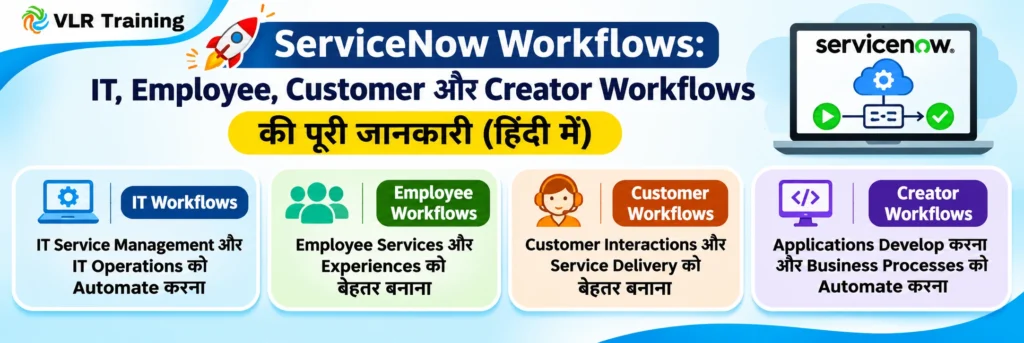
उदाहरण के लिए:
- IT Support
- Employee Services
- Customer Support
- Security Operations
- Application Development
- Asset Management
- HR Operations
इन सभी Activities को Manual तरीके से Manage करने पर कई समस्याएं उत्पन्न होती हैं। जैसे काम में देरी, Communication Gaps, Repetitive Activities और Operational Inefficiencies।
इन समस्याओं को हल करने के लिए ServiceNow Workflows का उपयोग किया जाता है।
ServiceNow Workflows की मदद से People, Applications, Data और Business Activities को आपस में Connect करके Business Processes को Automate किया जा सकता है।
ServiceNow Workflows को मुख्य रूप से चार Categories में विभाजित किया गया है।
- 🖥️ IT Workflows
- 👥 Employee Workflows
- 🤝 Customer Workflows
- 🛠️ Creator Workflows
ये चारों Workflow Categories Organizations की अलग-अलग Business Requirements को पूरा करने में मदद करती हैं।
VLR Training ServiceNow Learning Material में इन चारों Categories को समझना ServiceNow Platform और उसके विभिन्न Products को सीखने का एक महत्वपूर्ण आधार है।
🎯 3. ServiceNow Workflows का क्या महत्व है?
Workflow का अर्थ है किसी विशेष Business Process को पूरा करने के लिए एक निश्चित क्रम में जुड़ी हुई Activities का समूह।
किसी Organization में अलग-अलग Activities को पूरा करने के लिए कई Employees, Departments, Approvals और Applications की आवश्यकता होती है।
उदाहरण के लिए, मान लीजिए किसी Employee का Laptop काम करना बंद कर देता है।
इस स्थिति में निम्नलिखित Process होता है:
- 📝 Employee ServiceNow में Incident Submit करता है।
- 📩 Incident संबंधित IT Support Team को Assign किया जाता है।
- 🔍 Support Team समस्या की जांच करती है।
- ✅ समस्या को Resolve किया जाता है।
- 🔔 Employee को Notification मिलता है।
- 🔒 Incident को Close कर दिया जाता है।
इस पूरी Process को ServiceNow के माध्यम से Manage किया जा सकता है।
ServiceNow Workflows की मदद से ऐसी Activities को Automate किया जा सकता है। इससे Manual Work कम होता है और Business Processes एक निश्चित तरीके से पूरे होते हैं।
⭐ ServiceNow Workflows की आवश्यकता क्यों है?
Organizations ServiceNow Workflows का उपयोग निम्नलिखित उद्देश्यों के लिए करती हैं:
- ⚙️ Repetitive Business Activities को Automate करना।
- 🧑💻 Manual Work को कम करना।
- 🤝 अलग-अलग Departments के बीच Communication बेहतर बनाना।
- 📋 Business Processes को Standardize करना।
- ✅ Approvals और Task Assignments को Manage करना।
- 😊 Employee और Customer Experience को बेहतर बनाना।
- 🔗 Multiple Applications और Systems को Connect करना।
- 📈 Operational Efficiency बढ़ाना।
- ⏱️ Business Process Performance को Monitor करना।
🏗️ 4. ServiceNow की चार प्रमुख Workflow Categories
ServiceNow Organizations की अलग-अलग Business Requirements को पूरा करने के लिए चार प्रमुख Workflow Categories प्रदान करता है।
| Workflow Category | मुख्य उद्देश्य | प्रमुख Products / Capabilities |
|---|---|---|
| 🖥️ IT Workflows | IT Service Management और IT Operations को Automate करना | ITSM, ITAM, SecOps, GRC |
| 👥 Employee Workflows | Employee Services और Experiences को बेहतर बनाना | HRSD, Legal Service Delivery, Workplace Service Delivery, Safe Workplace Suite |
| 🤝 Customer Workflows | Customer Interactions और Service Delivery को बेहतर बनाना | CSM, FSM, FSO, Telecommunications Service Management |
| 🛠️ Creator Workflows | Applications Develop करना और Business Processes Automate करना | App Engine, IntegrationHub, Manufacturing Connected Workforce |
अब इन सभी Workflow Categories को विस्तार से समझते हैं।
🖥️ 5. IT Workflows
📌 IT Workflows क्या हैं?
IT Workflows Organizations के Information Technology (IT) Operations को Automate और Streamline करने में मदद करते हैं।
अधिकांश Organizations अपने Business Operations को संचालित करने के लिए IT Infrastructure, Applications, Networks, Servers, Databases और Technical Support Teams पर निर्भर रहती हैं।
इन सभी Activities को Manual तरीके से Manage करना विशेष रूप से बड़ी Organizations में कठिन हो सकता है।
IT Workflows की मदद से IT Processes को Automate किया जा सकता है और Manual Activities पर निर्भरता कम की जा सकती है।
नोट: ServiceNow के वर्तमान Public Product Portfolio में IT से संबंधित Solutions के लिए Technology Workflows नाम का भी उपयोग किया जाता है।
📦 IT Workflows में शामिल प्रमुख Products और Modules
IT Workflows के अंतर्गत ServiceNow के कई महत्वपूर्ण Product Areas आते हैं।
🔹 5.1 ITSM – IT Service Management
ITSM (IT Service Management) Organizations की IT Services और IT Support Operations को Manage करने में मदद करता है।
यह IT Service Requests, Incidents, Problems और Changes को एक व्यवस्थित तरीके से Manage करने की सुविधा प्रदान करता है।
मुख्य ITSM Capabilities:
- Incident Management
- Problem Management
- Change Management
- Request Management
- Service Catalog
- Knowledge Management
- Service Level Management
💡 Real-Time Example:
मान लीजिए एक Software Company में कोई Employee काम कर रहा है।
एक दिन उसका Laptop Company Network से Connect नहीं हो रहा है।
ऐसी स्थिति में Employee ServiceNow में एक Incident Create करता है।
IT Support Team उस Incident को Receive करके समस्या की जांच करती है।
समस्या Resolve होने के बाद Employee को Notification भेजा जाता है।
इस पूरी Process को ITSM के माध्यम से Manage किया जा सकता है।
🔹 5.2 ITAM – IT Asset Management
ITAM (IT Asset Management) Organizations के IT Assets के पूरे Lifecycle को Manage करने में मदद करता है।
IT Assets में Hardware, Software और Organization द्वारा उपयोग किए जाने वाले अन्य Technology Resources शामिल होते हैं।
ITAM की मदद से Assets की Ownership, Usage, Cost और Lifecycle Information को Track किया जा सकता है।
मुख्य Activities:
- 💻 Hardware Asset Management
- 💿 Software Asset Management
- 🛒 Asset Procurement
- 📍 Asset Tracking
- 🔧 Asset Maintenance
- ♻️ Asset Retirement
- 📃 Software License Management
💡 Real-Time Example:
मान लीजिए किसी Organization में 2,000 Employees हैं।
Organization अपने प्रत्येक Employee को एक Laptop प्रदान करती है।
अब IT Department को प्रत्येक Laptop की निम्नलिखित जानकारी Maintain करनी होगी।
- Laptop Serial Number
- Assigned Employee
- Purchase Date
- Warranty Information
- Asset Status
- Replacement Date
ITAM की मदद से यह पूरी Asset Information Maintain की जा सकती है और Asset के पूरे Lifecycle को Manage किया जा सकता है।
🔹 5.3 SecOps – Security Operations
SecOps (Security Operations) Organizations में Security Threats को Identify, Investigate, Prioritize और Respond करने में मदद करता है।
आज के समय में Organizations को कई प्रकार के Cybersecurity Risks का सामना करना पड़ता है।
उदाहरण के लिए:
- 🔐 Unauthorized Access
- 🚨 Security Incidents
- 🛡️ Vulnerabilities
- 👀 Suspicious Activities
- 🦠 Malware-Related Threats
- 🔒 Data Security Risks
ServiceNow Security Operations की मदद से Security Teams अपने Security-Related Workflows को Manage कर सकती हैं और Incident Response Activities को Coordinate कर सकती हैं।
मुख्य Capabilities:
- Security Incident Response
- Vulnerability Response
- Threat Intelligence
- Security Incident Management
💡 Real-Time Example:
मान लीजिए किसी Company के Business Application में एक Critical Vulnerability पाई जाती है।
Security Team सबसे पहले प्रभावित Systems को Identify करती है।
इसके बाद Risk का Assessment किया जाता है और संबंधित Teams को Remediation Activities Assign की जाती हैं।
जब तक समस्या पूरी तरह Resolve नहीं होती, तब तक उसे Track किया जाता है।
इन सभी Activities को Manage करने के लिए SecOps का उपयोग किया जा सकता है।
🔹 5.4 GRC – Governance, Risk and Compliance
GRC (Governance, Risk, and Compliance) Organizations के Business Risks, Policies, Compliance Requirements और Internal Controls को Manage करने में मदद करता है।
हर Organization को विभिन्न Regulatory Requirements, Security Policies और Internal Business Rules का पालन करना होता है।
इन सभी Requirements को Systematic तरीके से Manage करने के लिए GRC का उपयोग किया जाता है।
मुख्य Activities:
- ⚖️ Risk Management
- 📜 Policy Management
- ✅ Compliance Management
- 🔍 Audit Management
- 🛡️ Control Management
- 🤝 Third-Party Risk Management
💡 Real-Time Example:
मान लीजिए एक Financial Organization को विभिन्न Regulatory Requirements और Internal Security Policies का पालन करना अनिवार्य है।
Organization को Risks Identify करने, Compliance Monitor करने, Audit Evidence Maintain करने और Audit Activities Track करने की आवश्यकता होती है।
GRC Capabilities की मदद से इन सभी Activities को Manage किया जा सकता है।
🔹 IT Workflows के अतिरिक्त Areas
ServiceNow के Technology Workflows Portfolio में कुछ अन्य Solutions भी शामिल हैं।
- IT Operations Management (ITOM)
- DevOps
- Strategic Portfolio Management
- Telecommunications Service Operations Management
- Operational Technology Management
इन Solutions की मदद से Traditional IT Service Management के अलावा अन्य IT Operations को भी Manage किया जा सकता है।
🌐 Official Reference: ServiceNow Technology Workflows
👥 6. Employee Workflows
📌 Employee Workflows क्या हैं?
Employee Workflows Organizations में Employees द्वारा प्रतिदिन की जाने वाली Activities और Processes को सरल बनाने तथा Automate करने में मदद करते हैं।
Employees को अलग-अलग Departments के साथ Interact करना पड़ता है।
उदाहरण के लिए:
- 🏢 Human Resources
- 💻 Information Technology
- 🏬 Facilities Management
- ⚖️ Legal Departments
- 🪑 Workplace Administration
इन सभी Activities को अलग-अलग Manage करने से Employees को कई परेशानियों का सामना करना पड़ता है।
Employee Workflows की मदद से Employees को आवश्यक Organizational Services एक Centralized Digital Process के माध्यम से उपलब्ध कराई जा सकती हैं।
📦 Employee Workflows में शामिल प्रमुख Products और Modules
🔹 6.1 HRSD – HR Service Delivery
HRSD (HR Service Delivery) Organizations में Human Resources से संबंधित Services और Employee Lifecycle Activities को Automate करने में मदद करता है।
HR Department Recruitment और Employee Onboarding से लेकर Transfers तथा Employee Exits तक कई Activities को Manage करता है।
इन Activities को Streamline करने के लिए HRSD का उपयोग किया जाता है।
मुख्य Capabilities:
- 👋 Employee Onboarding
- 🚪 Employee Offboarding
- 📋 HR Case Management
- 📝 Employee Requests
- 🔄 Employee Lifecycle Management
- 📚 HR Knowledge Management
- 🧑💻 Employee Self-Service
💡 Real-Time Example:
मान लीजिए एक नया Employee किसी Organization में Join करता है।
अब HR Department को कुछ Activities पूरी करनी होंगी।
- Employee का HR Record Create करना।
- आवश्यक Documents Collect करना।
- Laptop Allocation के लिए IT Department के साथ Coordinate करना।
- Employee के लिए आवश्यक System Access Arrange करना।
- Onboarding Formalities पूरी करना।
- Company Policies के बारे में Employee को जानकारी देना।
इन सभी Activities को HRSD के माध्यम से Coordinate और Automate किया जा सकता है।
🔹 6.2 LSD – Legal Service Delivery
Legal Service Delivery Organizations के Legal Department से संबंधित Activities और Legal Service Requests को Manage करने में मदद करता है।
बड़ी Organizations में Contracts, Agreements, Compliance Activities और Internal Legal Consultations जैसी कई Legal Requirements होती हैं।
इन Processes को Organize और Streamline करने के लिए Legal Service Delivery का उपयोग किया जाता है।
मुख्य Activities:
- ⚖️ Legal Service Requests
- 📄 Contract Management
- 📋 Legal Case Management
- ✅ Legal Approvals
- 🗂️ Legal Document Management
- 📑 Legal Matter Management
💡 Real-Time Example:
मान लीजिए किसी Employee को Business Contract के संबंध में Legal Assistance की आवश्यकता है।
Employee एक Legal Service Request Submit करता है।
Legal Department उस Request को Receive करके Contract Review करता है।
इसके बाद आवश्यक Activities Assign करके Review Process को पूरा किया जाता है।
इस पूरी Process को Legal Service Delivery के माध्यम से Manage किया जा सकता है।
🔹 6.3 Workplace Service Delivery
Workplace Service Delivery Organizations के Workplace से संबंधित Services और Facilities को Manage करने में मदद करता है।
हर Company को अपने Office, Meeting Rooms, Workplace Resources और Employee Facilities को Maintain करना होता है।
इन Services को Digital Workflows के माध्यम से Employees तक पहुंचाने के लिए Workplace Service Delivery का उपयोग किया जाता है।
मुख्य Activities:
- 🏢 Workplace Service Requests
- 🗓️ Meeting Room Reservations
- 🪑 Workplace Resource Management
- 📍 Office Space Management
- 🔧 Facilities Requests
- 👥 Employee Workplace Services
💡 Real-Time Example:
मान लीजिए किसी Employee को Project Discussion के लिए Meeting Room Reserve करना है।
Employee एक Meeting Room Reservation Request Submit करता है।
Workplace Team या Configured Reservation Process उस Request को Manage करके Reservation Confirm करता है।
🔹 6.4 Safe Workplace Suite
Safe Workplace Suite Workplace Safety से संबंधित Processes और Employee Workplace Experiences को Support करता है।
Organizations को Workplace Safety Requirements, Employee Communications और Physical Office Locations में वापस आने वाले Employees से संबंधित Procedures को Manage करने की आवश्यकता हो सकती है।
इन Activities को Coordinate करने के लिए Safe Workplace Capabilities उपयोगी होती हैं।
उदाहरण:
- 🛡️ Workplace Safety Processes
- 🗓️ Employee Workplace Reservations
- 🏢 Return-to-Workplace Activities
- ✅ Workplace Readiness
- 📢 Employee Safety-Related Services
इस Solution की Availability और आवश्यकता Organization की Business Requirements तथा ServiceNow Product Portfolio पर निर्भर करती है।
⭐ Employee Workflows के फायदे
- 😊 Employee Experience बेहतर होता है।
- ⚙️ HR Processes सरल होते हैं।
- ⏱️ Manual Administrative Activities कम होती हैं।
- 🏢 Workplace Service Delivery बेहतर होती है।
- ⚖️ Legal Service Requests Manage की जा सकती हैं।
- 📍 Employee Services को Centralize किया जा सकता है।
- 🤝 Departments के बीच Communication बेहतर होता है।
🤝 7. Customer Workflows
📌 Customer Workflows क्या हैं?
Customer Workflows Organizations को अपने Customers के साथ होने वाले Interactions को Automate और बेहतर बनाने में मदद करते हैं।
हर Business को अपने Customers को Services और Support प्रदान करना होता है।
उदाहरण के लिए Telecom Companies, Banks, Financial Institutions और Service-Based Organizations अपने Customers के साथ नियमित रूप से Interact करती हैं।
Customer Issues को Resolve करना, Requests Handle करना और Services प्रदान करना इन Organizations की दैनिक Activities का हिस्सा है।
Customer Workflows की मदद से Customer-Facing Teams को Internal Operations Teams के साथ Connect किया जा सकता है।
इससे Customer Communication, Service Requests, Customer Support और Field Operations को Streamline किया जा सकता है।
📦 Customer Workflows में शामिल प्रमुख Products और Modules
🔹 7.1 CSM – Customer Service Management
CSM (Customer Service Management) Organizations में Customer Service Activities और Customer Support Requests को Manage करने में मदद करता है।
Customer Issues, Inquiries, Cases और Service Requests को एक व्यवस्थित तरीके से Manage करने के लिए CSM का उपयोग किया जाता है।
मुख्य Capabilities:
- 📋 Customer Case Management
- 🎧 Customer Support
- 🧑💻 Customer Self-Service
- 📢 Customer Communication
- 📚 Knowledge Management
- ⚙️ Customer Service Operations
- 🚨 Case Assignment and Escalation
💡 Real-Time Example:
मान लीजिए किसी Customer ने एक Telecom Company से Internet Connection लिया है।
Internet Installation के कुछ समय बाद Internet Connection काम करना बंद कर देता है।
Customer Company की Support Team से Contact करके एक Service Case Create करता है।
Customer Service Team उस Case को Receive करके समस्या की जांच करती है।
आवश्यकता पड़ने पर Technical Team के साथ Coordinate करके समस्या को Resolve किया जाता है।
इस पूरी Customer Support Process को CSM के माध्यम से Manage किया जा सकता है।
🔹 7.2 FSM – Field Service Management
FSM (Field Service Management) Organizations में Field Technicians और On-Site Service Activities को Manage करने में मदद करता है।
कुछ Organizations अपने Customers के Locations पर Technicians भेजकर Equipment Installation, Repair, Inspection और Maintenance Services प्रदान करती हैं।
इन Activities को Manual तरीके से Manage करने पर Scheduling और Coordination से संबंधित समस्याएं उत्पन्न हो सकती हैं।
FSM की मदद से Field Service Operations को Manage किया जा सकता है।
मुख्य Capabilities:
- 📝 Work Order Management
- 🗓️ Technician Scheduling
- 🚚 Dispatch Management
- 🔧 Field Service Operations
- 📱 Mobile Workforce Management
- 📅 Service Appointment Management
- 📍 Field Task Tracking
💡 Real-Time Example:
मान लीजिए किसी Customer ने अपने Broadband Connection में समस्या होने की Complaint दी है।
Customer Service Team उस समस्या के लिए Field Service Requirement Create करती है।
इसके बाद Organization एक Technician को Customer के Location पर Assign करती है।
Technician को Work Details प्राप्त होती हैं। वह Customer Location पर जाकर समस्या को Repair करता है और Work Order को Update करता है।
इस पूरी Process को FSM के माध्यम से Manage किया जा सकता है।
🔹 7.3 FSO – Financial Services Operations
FSO (Financial Services Operations) Financial Organizations में Customer-Oriented Financial Service Processes को Automate और Streamline करने में मदद करता है।
Banks और Financial Institutions विभिन्न Customer Requests, Financial Operations और Service-Related Activities को Handle करती हैं।
Financial Service Operations को Customer Service Processes के साथ Connect करने के लिए FSO का उपयोग किया जाता है।
उदाहरण:
- 🏦 Banking Service Requests
- 📋 Financial Service Cases
- 💳 Customer Financial Operations
- ⚙️ Financial Service Process Management
- 🤝 Financial Customer Support
💡 Real-Time Example:
मान लीजिए किसी Bank Customer को किसी Financial Service से संबंधित समस्या का सामना करना पड़ रहा है।
Customer एक Support Request Submit करता है।
Bank Service Team उस Request को Review करती है और संबंधित Department के साथ Coordinate करके Resolution Process को Manage करती है।
ऐसे Financial Service-Related Workflows को Manage करने में FSO मदद करता है।
🔹 7.4 Telecommunications Service Management
Telecommunications Service Management Telecom Organizations में Service Operations को Manage करने और Customer Experience को बेहतर बनाने में मदद करता है।
Telecommunication Companies को अपने Networks, Services, Customer Requests और Operational Activities को Manage करना होता है।
यह Customer-Facing Processes को Telecom Service Operations के साथ Connect करने में मदद करता है।
मुख्य Areas:
- 📡 Telecom Service Management
- 🎧 Telecom Customer Support
- ⚙️ Telecom Service Operations
- 🚨 Service Issue Management
- 🔗 Telecom Network-to-Customer Process Coordination
💡 Real-Time Example:
मान लीजिए किसी Telecom Customer को बार-बार Network Connectivity Problems का सामना करना पड़ रहा है।
Customer इस समस्या को Telecom Company के पास Report करता है।
Support Team समस्या की जांच करके Network Operations Team के साथ Coordinate करती है।
संबंधित Teams मिलकर समस्या का कारण Identify करती हैं और उसे Resolve करती हैं।
इन Operational Activities को Connect करने के लिए Telecommunications Service Management उपयोगी होता है।
⭐ Customer Workflows के फायदे
- 😊 Customer Satisfaction बेहतर होती है।
- ⚙️ Customer Support Processes Automate होते हैं।
- 📋 Customer Cases Manage किए जा सकते हैं।
- 🚚 Field Service Operations बेहतर होते हैं।
- 🤝 Customer-Facing और Back-Office Teams के बीच Coordination बढ़ता है।
- ⏱️ Issue Resolution में देरी कम होती है।
- 📈 Service Delivery बेहतर होती है।
🛠️ 8. Creator Workflows
📌 Creator Workflows क्या हैं?
Creator Workflows Organizations में Custom Applications Develop करने और Business Processes को Automate करने में मदद करते हैं।
Traditional Software Development में Application Develop करने के लिए Developers को Code लिखना, Applications Design करना, Functionality Test करना और Deploy करना पड़ता है।
हालांकि, प्रत्येक Business Requirement के लिए पूरी तरह Code-Based Development की आवश्यकता नहीं होती।
कुछ Business Users को अपने Business Processes की अच्छी जानकारी होती है। वे अपनी Daily Activities को Automate करने के लिए Applications Create करना चाहते हैं।
ऐसे Users Low-Code Tools और Reusable Components की मदद से Applications तथा Business Workflows Develop कर सकते हैं।
यह सुविधा Creator Workflows के माध्यम से उपलब्ध होती है।
Professional Developers भी Reusable Components और Application Building Blocks Create करके इसमें योगदान दे सकते हैं।
👨💻 Citizen Developers कौन होते हैं?
Citizen Developers ऐसे Business Users होते हैं जो Low-Code या No-Code Development Platforms का उपयोग करके Applications Create करते हैं या Business Processes को Automate करते हैं।
इनके पास अधिक Programming Experience होना आवश्यक नहीं है।
लेकिन इन्हें अपने Organization के Business Processes की अच्छी समझ होनी चाहिए। इसी समझ का उपयोग करके वे Development Tools के माध्यम से Applications Develop कर सकते हैं।
💡 Example:
मान लीजिए किसी HR Department को अपने Employees के Equipment Requests Manage करने के लिए एक Application की आवश्यकता है।
एक Business User Low-Code Application Development Platform का उपयोग करके एक Application Create कर सकता है।
उस Application में निम्नलिखित Features हो सकते हैं:
- 📝 Equipment Requests Submit करना।
- 👤 Employee Information Capture करना।
- ✅ Approval Requirements Manage करना।
- 📋 Fulfillment Tasks Assign करना।
- 📊 Request Status Track करना।
इससे प्रत्येक Application के लिए Traditional Application Developers पर पूरी तरह निर्भर रहने की आवश्यकता कम हो जाती है।
📦 Creator Workflows में शामिल प्रमुख Products
🔹 8.1 App Engine
App Engine ServiceNow का एक Application Development Solution है, जो Developers और Business Users को Low-Code Capabilities के माध्यम से Custom Applications Build करने में मदद करता है।
इसकी मदद से Organizations अपनी Business Requirements के अनुसार Applications Create कर सकती हैं।
मुख्य Capabilities:
- 🧩 Low-Code Application Development
- 📋 Application Templates
- ♻️ Reusable Application Components
- 🛠️ Custom Application Development
- ⚙️ Business Process Automation
- 📱 Application Management
💡 Real-Time Example:
मान लीजिए एक Company अपने Office के लिए Internal Visitor Management Application Develop करना चाहती है।
इस Application में निम्नलिखित Features होने चाहिए।
- Visitor Registration.
- Employee Information.
- Visitor Approval.
- Security Verification.
- Visitor Entry Tracking.
- Visitor Exit Tracking.
App Engine की मदद से इन सभी Activities को Manage करने के लिए एक Custom Application Develop किया जा सकता है।
🔹 8.2 IntegrationHub
IntegrationHub ServiceNow को External Applications, Systems और Services के साथ Connect करने में मदद करता है।
आज के समय में Organizations अपने Business Operations को Manage करने के लिए कई Applications का उपयोग करती हैं।
उदाहरण के लिए:
- Microsoft Teams
- Microsoft Azure
- Salesforce
- External REST APIs
- Enterprise Applications
- Third-Party Business Systems
IntegrationHub के माध्यम से ServiceNow Workflows और External Applications के बीच Information Exchange किया जा सकता है। इसके अतिरिक्त External Systems में Actions Execute किए जा सकते हैं।
मुख्य Capabilities:
- 🔗 Prebuilt Integration Spokes
- 🧩 Reusable Integration Actions
- 🌐 External System Connectivity
- 🔌 API-Based Integrations
- ⚙️ Integration Automation
- 🔄 Data Exchange Between Applications
💡 Real-Time Example:
मान लीजिए एक Organization IT Service Management के लिए ServiceNow का उपयोग करती है और Employee Communication के लिए Microsoft Teams का उपयोग करती है।
जब ServiceNow में कोई Important IT Incident Create होता है, तब Organization उस Incident से संबंधित Notification Microsoft Teams Channel में भेजना चाहती है।
ऐसी स्थिति में IntegrationHub की मदद से ServiceNow Process को External Communication Application के साथ Connect किया जा सकता है।
🔄 IntegrationHub और Flow Designer के बीच संबंध
IntegrationHub, ServiceNow की Flow Automation Capabilities के साथ मिलकर काम करता है।
Flow Designer के माध्यम से Business Processes को Design और Automate किया जाता है।
IntegrationHub Integration Actions, Spokes और Steps प्रदान करता है, जिनकी मदद से Workflows को External Applications के साथ Connect किया जा सकता है।
Example Process:
- ServiceNow में Trigger के माध्यम से Flow Start होता है।
- Flow आवश्यक Conditions को Evaluate करता है।
- IntegrationHub Action के माध्यम से External Application से Connect होता है।
- दोनों Systems के बीच Information Exchange होती है।
- Flow अगली Configured Activities को Execute करता है।
इस तरह Multiple Applications के बीच Business Processes को Automate किया जा सकता है।
महत्वपूर्ण: Flow Designer और IntegrationHub एक-दूसरे से संबंधित हैं, लेकिन दोनों की Responsibilities अलग-अलग हैं।
🔹 8.3 Manufacturing Connected Workforce
Manufacturing Connected Workforce Manufacturing Organizations में Operational Procedures को Digitize और Streamline करने में मदद करता है।
Manufacturing Companies में Production Teams, Workers, Equipment और Industrial Processes से संबंधित कई Activities होती हैं।
Connected Workforce Capabilities के माध्यम से Digital Processes और Connected Operations का उपयोग करके Worker Productivity को बेहतर बनाया जा सकता है।
उदाहरण:
- 📋 Digital Work Instructions
- 🏭 Manufacturing Process Management
- 👷 Worker Productivity
- 📱 Operational Procedure Digitization
- 🤝 Workforce Coordination
💡 Real-Time Example:
मान लीजिए कोई Manufacturing Organization अपने Equipment Maintenance Activities को Manage करना चाहती है।
Workers को Maintenance Procedures, Task Information और Operational Instructions की आवश्यकता होती है।
Digital Workflows के माध्यम से इन Activities को Organize करके Teams के बीच Coordination बेहतर बनाया जा सकता है।
⭐ Creator Workflows के फायदे
- 🛠️ Custom Business Applications Develop कर सकते हैं।
- ⏱️ Application Development Time कम होता है।
- 👨💻 Citizen Developers को Enable किया जा सकता है।
- ♻️ Application Components Reuse कर सकते हैं।
- ⚙️ Business Processes Automate कर सकते हैं।
- 🔗 External Applications को Connect कर सकते हैं।
- 🤝 Business Users और Professional Developers के बीच Collaboration बेहतर होता है।
- 🚀 Digital Transformation तेज होती है।
🌐 Official Reference: ServiceNow Creator Workflows
🔄 9. ServiceNow Workflows कैसे काम करते हैं?
हालांकि चारों Workflow Categories अलग-अलग Business Requirements को पूरा करती हैं, लेकिन Workflow Automation का Basic Concept लगभग समान होता है।
एक सामान्य Automated Business Process निम्नलिखित Steps के माध्यम से पूरा होता है।
1️⃣ Step 1: Trigger
जब कोई Predefined Event या Condition होती है, तब Workflow Start होता है।
उदाहरण:
- Employee एक Incident Submit करता है।
- Customer एक Support Case Create करता है।
- Employee एक Leave Request Submit करता है।
- Manager एक Approval Request Create करता है।
2️⃣ Step 2: Process the Information
User द्वारा Submit की गई या किसी अन्य Application से प्राप्त Information को System Process करता है।
उदाहरण के लिए, जब कोई Employee अपने Laptop की समस्या Report करता है, तब System Incident से संबंधित सभी Details Capture करता है।
3️⃣ Step 3: Apply Business Rules
Workflow पहले से Define की गई Conditions और Business Rules को Evaluate करता है।
उदाहरण:
- किस प्रकार का Incident Report किया गया है?
- किस Support Team को Assign करना चाहिए?
- क्या इस Request के लिए Approval आवश्यक है?
- कौन-सी Priority Assign करनी चाहिए?
4️⃣ Step 4: Assign Tasks
Workflow संबंधित Users या Groups को Activities Assign करता है।
उदाहरण के लिए, किसी IT Incident को Desktop Support Team को Assign किया जा सकता है।
5️⃣ Step 5: Execute Actions
Workflow आवश्यक Actions को Execute करता है।
उदाहरण:
- Tasks Create करना।
- Notifications भेजना।
- Approvals Request करना।
- Records Update करना।
- External Applications से Connect करना।
6️⃣ Step 6: Complete the Process
सभी आवश्यक Activities पूरी होने के बाद Business Process अपनी Final State तक पहुंच जाता है।
System पूरी हुई Activities और उनके Status से संबंधित Information को Maintain कर सकता है।
🏢 10. Practical Real-Time Example: किसी Organization में ServiceNow Workflows का उपयोग
मान लीजिए एक Multinational Software Company में 5,000 Employees काम करते हैं।
यह Company अपने IT Operations, Employees, Customers और Application Development Requirements को Manage करने के लिए ServiceNow का उपयोग करती है।
अलग-अलग Departments में चारों Workflow Categories का उपयोग किया जा सकता है।
| Department | Business Requirement | ServiceNow Workflow |
|---|---|---|
| 🖥️ IT Support | Employee Laptop Issues Resolve करना | IT Workflows |
| 💻 IT Asset Team | Employee Laptops Track करना | IT Workflows |
| 🛡️ Security Team | Security Incidents Manage करना | IT Workflows |
| 👥 HR Department | Employee Onboarding Manage करना | Employee Workflows |
| ⚖️ Legal Department | Contract Approvals Manage करना | Employee Workflows |
| 🏢 Facilities Team | Office Services Manage करना | Employee Workflows |
| 🎧 Customer Support | Customer Complaints Resolve करना | Customer Workflows |
| 🚚 Field Technicians | On-Site Repairs Manage करना | Customer Workflows |
| 🛠️ Application Development Team | Internal Applications Develop करना | Creator Workflows |
| 🔗 Integration Team | External Applications Connect करना | Creator Workflows |
💡 Example 1: New Employee Onboarding
जब कोई नया Employee Organization में Join करता है, तब कई Departments को अलग-अलग Activities पूरी करनी होती हैं।
Employee Workflows का उपयोग करके इस Process को Manage किया जा सकता है।
- HR Department Employee Onboarding Process Initiate करती है।
- Employee आवश्यक Information Submit करता है।
- Laptop प्रदान करने के लिए IT Department को Request भेजी जाती है।
- IT Asset Team एक Available Laptop Allocate करती है।
- Facilities Team Workplace Requirements Arrange करती है।
- संबंधित Departments अपने Tasks Complete करते हैं।
- अंत में Employee Onboarding Process Complete हो जाती है।
💡 Example 2: Customer Technical Support
जब कोई Customer अपनी Internet Connectivity समस्या Report करता है:
- Customer एक Support Case Create करता है।
- Customer Service Team Case को Review करती है।
- Case को संबंधित Support Team को Assign किया जाता है।
- यदि On-Site Assistance की आवश्यकता है, तो Field Service Task Create किया जाता है।
- Technician Customer Location पर जाता है।
- समस्या को Resolve किया जाता है।
- Customer को Update भेजा जाता है।
इस प्रकार Digital Workflows की मदद से Organization की अलग-अलग Activities को आपस में Connect किया जा सकता है।
📊 11. चारों ServiceNow Workflow Categories के बीच अंतर
निम्नलिखित Table की मदद से चारों प्रमुख Workflow Categories के बीच अंतर को आसानी से समझ सकते हैं।
| Comparison | IT Workflows | Employee Workflows | Customer Workflows | Creator Workflows |
|---|---|---|---|---|
| 🎯 Primary Focus | IT Operations | Employee Services | Customer Services | Application Development |
| 👥 Main Users | IT Teams | Employees और Departments | Customers और Service Teams | Developers और Citizen Developers |
| ⚙️ Main Objective | IT Processes Automate करना | Employee Experience बेहतर बनाना | Customer Experience बेहतर बनाना | Applications Develop और Processes Automate करना |
| 📦 Examples | Incident Management, ITAM | HRSD, Legal Services | CSM, FSM | App Engine, IntegrationHub |
| ⭐ Business Value | Better IT Service Delivery | Better Employee Productivity | Better Customer Satisfaction | Faster Application Development |
🌟 12. ServiceNow Workflows के फायदे
ServiceNow Workflows का उपयोग करके Organizations कई प्रकार के Benefits प्राप्त कर सकती हैं।
🔹 12.1 Process Automation
Organizations में बार-बार होने वाली Repetitive Business Processes को Automate करके Manual Work कम किया जा सकता है।
🔹 12.2 Improved Productivity
Employees Repetitive Administrative Tasks में समय खर्च करने के बजाय महत्वपूर्ण कामों पर ध्यान केंद्रित कर सकते हैं।
🔹 12.3 Better Collaboration
अलग-अलग Departments Connected Workflows के माध्यम से अपनी Activities को Coordinate कर सकते हैं।
🔹 12.4 Faster Service Delivery
Automated Processes के माध्यम से Requests को जल्दी Complete किया जा सकता है और Issues को अधिक प्रभावी तरीके से Resolve किया जा सकता है।
🔹 12.5 Better Customer Experience
Customer-Facing Teams अपने Customer Interactions और Service Requirements को बेहतर तरीके से Manage कर सकती हैं।
🔹 12.6 Application Development
Creator Workflows में उपलब्ध Low-Code Capabilities की मदद से Organizations अपनी Business Requirements के अनुसार Applications Develop कर सकती हैं।
🔹 12.7 Integration Capabilities
IntegrationHub की मदद से ServiceNow को External Systems और Applications के साथ Connect किया जा सकता है।
🔹 12.8 Standardized Business Processes
Requests, Approvals और Business Activities को एक समान Standardized Process के अनुसार Manage किया जा सकता है।
⚠️ 13. Technical Clarifications और महत्वपूर्ण Terminology
ServiceNow Workflows सीखते समय कुछ Technical Terms को सही तरीके से समझना आवश्यक है।
| Term | सही Terminology / Explanation |
|---|---|
| Creative Workflows | सही नाम Creator Workflows है |
| IT Workflows | IT से संबंधित Workflow Portfolio; वर्तमान Public Product Page में Technology Workflows नाम का भी उपयोग होता है |
| ITAM | IT Asset Management |
| SecOps | Security Operations |
| GRC | Governance, Risk, and Compliance |
| IR | इस संदर्भ में इसका उल्लेख स्पष्ट नहीं है; IR को Confirmed Product Name नहीं मानना चाहिए |
| LSD | Legal Service Delivery |
| FSM | Field Service Management |
| FSO | Financial Services Operations |
| CSM | Customer Service Management |
| IntegrationHub | Flow Designer और Workflow Studio के साथ उपयोग होने वाली Integration Capability |
| Manufacturing Connected Workforce | यह पूरा Product Name है, तीन अलग-अलग Product Names नहीं |
🔍 महत्वपूर्ण अंतर: Workflow Categories और Flow Designer
चारों प्रमुख ServiceNow Workflow Categories को Flow Designer के साथ Confuse नहीं करना चाहिए।
चार Workflow Categories व्यापक Business और Product Areas को दर्शाती हैं।
- 🖥️ IT Workflows
- 👥 Employee Workflows
- 🤝 Customer Workflows
- 🛠️ Creator Workflows
Flow Designer एक Platform Capability है, जिसका उपयोग Individual Business Processes को Create और Automate करने के लिए किया जाता है।
उदाहरण के लिए, कोई Organization IT, Employee या Customer Service Requirement में Approval Process को Automate करने के लिए Flow Designer का उपयोग कर सकती है।
📝 14. याद रखने योग्य महत्वपूर्ण बातें
- ✅ ServiceNow में चार प्रमुख Workflow Categories हैं: IT, Employee, Customer और Creator Workflows।
- 🖥️ IT Workflows मुख्य रूप से IT Service Management और IT Operations पर ध्यान केंद्रित करते हैं।
- 📋 ITSM में Incident Management, Problem Management, Change Management और Request Management शामिल हैं।
- 💻 ITAM की मदद से IT Assets के Lifecycle को Manage किया जा सकता है।
- 🛡️ SecOps Security-Related Operations को Support करता है।
- ⚖️ GRC की मदद से Governance, Risks और Compliance Manage किए जा सकते हैं।
- 👥 Employee Workflows में HR, Legal और Workplace-Related Services शामिल हैं।
- 🧑💼 HRSD का पूरा नाम HR Service Delivery है।
- 📄 Legal Service Delivery की मदद से Organizational Legal Processes Manage किए जा सकते हैं।
- 🏢 Workplace Service Delivery Workplace-Related Services को Support करता है।
- 🤝 Customer Workflows Customer Interactions और Service Delivery को बेहतर बनाते हैं।
- 🎧 CSM का पूरा नाम Customer Service Management है।
- 🚚 FSM का पूरा नाम Field Service Management है।
- 🏦 FSO का पूरा नाम Financial Services Operations है।
- 🛠️ Creator Workflows Low-Code Application Development के लिए उपयोगी हैं।
- 🧩 App Engine की मदद से Custom Applications Develop की जा सकती हैं।
- 🔗 IntegrationHub के माध्यम से External Applications के साथ Integrations स्थापित किए जा सकते हैं।
- ⚙️ Flow Designer की मदद से Business Processes Automate किए जा सकते हैं।
- 👨💻 Citizen Developers Low-Code Tools का उपयोग करके Applications Create कर सकते हैं।
- 📌 Individual Products की Availability Organization की ServiceNow Subscriptions और Implementation पर निर्भर करती है।
VLR Training ServiceNow Learners के लिए इन चारों Workflow Categories के बीच अंतर को समझना महत्वपूर्ण है। इसके बाद Individual Modules और Practical Implementations सीखना आसान हो जाता है।
❓ 15. Frequently Asked Questions (FAQs)
Q1. ServiceNow में चार प्रमुख Workflows कौन-से हैं?
ServiceNow में चार प्रमुख Workflow Categories हैं।
- 🖥️ IT Workflows
- 👥 Employee Workflows
- 🤝 Customer Workflows
- 🛠️ Creator Workflows
Q2. IT Workflows का मुख्य उद्देश्य क्या है?
IT Workflows Organizations को IT Service Management और IT Operations Automate करने में मदद करते हैं।
इनमें ITSM, ITAM, SecOps और GRC जैसी Capabilities शामिल हैं।
Q3. ServiceNow में ITSM क्या है?
ITSM का पूरा नाम IT Service Management है।
इसका उपयोग Organizations में IT Services को Manage करने के लिए किया जाता है।
इसमें Incident Management, Problem Management, Change Management और Request Management जैसी Processes शामिल हैं।
Q4. ITAM क्या है?
ITAM का पूरा नाम IT Asset Management है।
इसकी मदद से Hardware, Software और अन्य IT Assets को उनके पूरे Lifecycle में Track और Manage किया जा सकता है।
Q5. IT Workflows और Employee Workflows में क्या अंतर है?
IT Workflows मुख्य रूप से Incident Resolution, Asset Management और IT Service Requests जैसी IT-Related Activities पर ध्यान केंद्रित करते हैं।
Employee Workflows मुख्य रूप से HR Requests, Legal Services और Workplace Management जैसी Employee-Related Services पर ध्यान केंद्रित करते हैं।
Q6. ServiceNow में HRSD क्या है?
HRSD का पूरा नाम HR Service Delivery है।
इसकी मदद से HR Services, Employee Requests, Onboarding, Offboarding और अन्य HR-Related Processes को Manage किया जा सकता है।
Q7. ServiceNow में CSM क्या है?
CSM का पूरा नाम Customer Service Management है।
इसका उपयोग Customer Cases, Customer Support Requests और Customer Service Activities को Manage करने के लिए किया जाता है।
Q8. ServiceNow में FSM क्या है?
FSM का पूरा नाम Field Service Management है।
इसकी मदद से Field Technicians, Work Orders, Scheduling, Dispatching और On-Site Service Activities को Manage किया जा सकता है।
Q9. Creator Workflows क्या हैं?
Creator Workflows की मदद से Organizations Low-Code Application Development Tools का उपयोग करके Custom Applications Develop कर सकती हैं और Business Processes Automate कर सकती हैं।
Q10. ServiceNow में App Engine क्या है?
App Engine एक ServiceNow Solution है, जो Developers और Business Users को Low-Code Development Capabilities के माध्यम से Custom Applications Build करने में मदद करता है।
Q11. IntegrationHub क्या है?
IntegrationHub ServiceNow को External Applications और Systems के साथ Connect करने की एक Integration Capability है।
Q12. IntegrationHub और Flow Designer के बीच क्या संबंध है?
Flow Designer का उपयोग Business Process Automations बनाने के लिए किया जाता है।
IntegrationHub Integration Actions और Capabilities प्रदान करता है, जिनकी मदद से External Systems के साथ Communication किया जा सकता है।
Q13. Citizen Developers कौन होते हैं?
Citizen Developers ऐसे Business Users होते हैं, जो Low-Code या No-Code Development Tools का उपयोग करके Applications Develop करते हैं या Business Processes Automate करते हैं।
इनके लिए अधिक Programming Knowledge होना आवश्यक नहीं है।
Q14. क्या कोई Organization ServiceNow की चारों Workflow Categories का उपयोग कर सकती है?
हाँ। कोई Organization अपनी Business Requirements, Purchased Products, Licensing और Implementation के आधार पर एक या एक से अधिक Workflow Categories का उपयोग कर सकती है।
Q15. क्या ServiceNow Workflows और Flow Designer एक ही हैं?
नहीं।
ServiceNow Workflows व्यापक Business Solution Categories को दर्शाते हैं।
Flow Designer एक ऐसा Tool है, जिसका उपयोग Individual Business Processes को Design और Automate करने के लिए किया जाता है।
🎓 16. Conclusion – निष्कर्ष
ServiceNow Workflows Enterprise Business Processes को Automate करने में महत्वपूर्ण भूमिका निभाते हैं।
चार प्रमुख Workflow Categories Organizations की अलग-अलग Business Requirements को पूरा करती हैं।
🖥️ IT Workflows
IT Services, Asset Management, Security Operations और Risk Management जैसी Activities को Automate करने में मदद करते हैं।
👥 Employee Workflows
HR, Legal, Workplace और Employee Service Processes को सरल बनाने में मदद करते हैं।
🤝 Customer Workflows
Customer Service, Field Operations और Customer Interactions को बेहतर बनाने में मदद करते हैं।
🛠️ Creator Workflows
Developers और Citizen Developers को Low-Code Capabilities के माध्यम से Custom Applications Create करने और Business Processes Automate करने में मदद करते हैं।
इन चारों Categories को समझने से ServiceNow के विभिन्न Products और Solutions के बारे में अच्छी जानकारी प्राप्त होती है।
VLR Training ServiceNow Learning Path में आगे Individual ServiceNow Modules, Administration, Development और Practical Implementation सीखने से पहले इन चारों Workflow Categories को समझना बहुत महत्वपूर्ण है।
🔗 17. Reference URLs – आधिकारिक जानकारी के लिंक
ServiceNow Workflows के बारे में अधिक जानकारी प्राप्त करने के लिए निम्नलिखित Official Resources उपयोगी हैं।
- 🖥️ Technology Workflows: https://www.servicenow.com/workflows/it-workflows.html
- 🛠️ Creator Workflows: https://www.servicenow.com/workflows/creator-workflows.html
- ⚙️ Flow Designer Documentation: https://www.servicenow.com/docs/r/application-development/flow-designer.html?contentId=rZaEg_PjkgH~nzf8rXjB9g
📚 End of Article – लेख समाप्त