🛡️ What is Multi-Factor Authentication (MFA)?
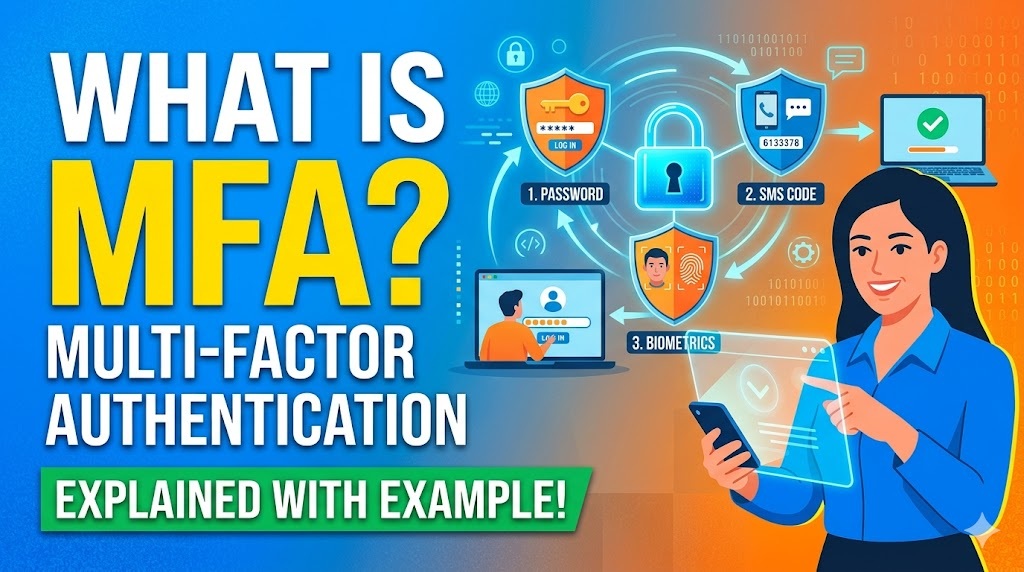
🔒 Multi-Factor Authentication (MFA) is a security system that requires you to provide two or more different forms of identification before granting you access to an account, application, or device.
🚪 Think of it as adding extra deadbolts to your front door that require completely different types of keys to open. 🦹♂️ If a hacker steals one key (like your password), they still cannot get in without the other keys.
🔑 To be considered true MFA, the verification methods must come from at least two different “categories” of evidence.
🗂️ The Three Core Categories (The “Factors”)
- 🧠 Something you know (Knowledge): Information only you should have memorized.
- Examples: 🔑 A password, 🔢 a PIN, or ❓ the answer to a security question.
- 📱 Something you have (Possession): A physical item in your possession.
- Examples: 🤳 Your smartphone, 🗝️ a hardware security key (like a YubiKey), 💳 a smart card, or ⏱️ a temporary code generated by an Authenticator app.
- 👁️ Something you are (Inherence): Your unique physical traits.
- Examples: 👆 A fingerprint scan, 👤 facial recognition (like Apple’s FaceID), or 🗣️ a voiceprint.
🏦 A Real-World Example: Logging into a Bank Account
💻 Imagine you are logging into your online banking portal from a new computer. Here is how MFA protects you:
- 1️⃣ Step 1 (Factor 1 – Knowledge): ⌨️ You enter your username and password. This is something you know. Even if you type it perfectly, the bank doesn’t let you in right away because it doesn’t recognize the computer.
- 2️⃣ Step 2 (Factor 2 – Possession): 📩 The bank prompts you to verify your identity. It sends a randomly generated, 6-digit one-time passcode (OTP) via text message to your smartphone. Because you physically possess the phone linked to your account, you receive the code. This is something you have.
- 3️⃣ Step 3 (Access Granted): ✅ You type the 6-digit code into the banking portal. The system verifies both factors and grants you access to your money.
🚨 Why this matters: If a cybercriminal on the other side of the world steals your bank password in a data breach, they still cannot access your money because they do not physically have your smartphone to receive that secondary 6-digit code.
🛡️ బహుళ-కారకాల ప్రామాణీకరణ (Multi-Factor Authentication – MFA) అంటే ఏమిటి?
🔒 బహుళ-కారకాల ప్రామాణీకరణ (MFA) అనేది ఒక ఖాతా, అప్లికేషన్ లేదా పరికరాన్ని యాక్సెస్ చేయడానికి ముందు రెండు లేదా అంతకంటే ఎక్కువ విభిన్న రకాల గుర్తింపులను అందించాల్సిన ఒక భద్రతా వ్యవస్థ.
🚪 దీనిని మీ ఇంటి ముందు తలుపుకు అదనపు తాళాలు వేయడంగా భావించండి, వీటిని తెరవడానికి పూర్తిగా భిన్నమైన తాళం చెవులు అవసరం. 🦹♂️ ఒకవేళ హ్యాకర్ ఒక తాళం చెవిని (మీ పాస్వర్డ్ వంటిది) దొంగిలించినప్పటికీ, ఇతర తాళం చెవులు లేకుండా వారు లోపలికి ప్రవేశించలేరు.
🔑 నిజమైన MFA గా పరిగణించబడాలంటే, ధృవీకరణ పద్ధతులు కనీసం రెండు విభిన్న “విభాగాలకు” చెందిన ఆధారాల నుండి రావాలి.
🗂️ మూడు ప్రధాన విభాగాలు (“కారకాలు”)
- 🧠 మీకు తెలిసినది (Knowledge): మీకు మాత్రమే గుర్తుండవలసిన సమాచారం.
- ఉదాహరణలు: 🔑 పాస్వర్డ్, 🔢 PIN లేదా ❓ భద్రతా ప్రశ్నకు సమాధానం.
- 📱 మీ వద్ద ఉన్నది (Possession): మీ ఆధీనంలో ఉన్న భౌతిక వస్తువు.
- ఉదాహరణలు: 🤳 మీ స్మార్ట్ఫోన్, 🗝️ హార్డ్వేర్ సెక్యూరిటీ కీ (YubiKey వంటిది), 💳 స్మార్ట్ కార్డ్ లేదా ⏱️ ఆథెంటికేటర్ యాప్ ద్వారా రూపొందించబడిన తాత్కాలిక కోడ్.
- 👁️ మీరు ఎవరో తెలిపేది (Inherence): మీ ప్రత్యేకమైన శారీరక లక్షణాలు.
- ఉదాహరణలు: 👆 వేలిముద్ర స్కాన్, 👤 ముఖ గుర్తింపు (Apple FaceID వంటిది) లేదా 🗣️ వాయిస్ప్రింట్ (వాయిస్ గుర్తింపు).
🏦 వాస్తవ ప్రపంచ ఉదాహరణ: బ్యాంక్ ఖాతాలోకి లాగిన్ అవ్వడం
💻 కొత్త కంప్యూటర్ నుండి మీరు మీ ఆన్లైన్ బ్యాంకింగ్ పోర్టల్లోకి లాగిన్ అవుతున్నారని ఊహించుకోండి. ఇక్కడ MFA మిమ్మల్ని ఎలా రక్షిస్తుందో చూడండి:
- 1️⃣ దశ 1 (కారకం 1 – జ్ఞానం): ⌨️ మీరు మీ యూజర్నేమ్ మరియు పాస్వర్డ్ను నమోదు చేస్తారు. ఇది మీకు తెలిసిన విషయం. మీరు దాన్ని ఖచ్చితంగా టైప్ చేసినప్పటికీ, బ్యాంక్ కంప్యూటర్ను గుర్తించనందున అది మిమ్మల్ని వెంటనే లోపలికి అనుమతించదు.
- 2️⃣ దశ 2 (కారకం 2 – ఆధీనం): 📩 మీ గుర్తింపును ధృవీకరించమని బ్యాంక్ మిమ్మల్ని అడుగుతుంది. ఇది యాదృచ్ఛికంగా రూపొందించబడిన, 6-అంకెల వన్-టైమ్ పాస్కోడ్ను (OTP) మీ స్మార్ట్ఫోన్కు టెక్స్ట్ మెసేజ్ ద్వారా పంపుతుంది. మీ ఖాతాకు లింక్ చేయబడిన ఫోన్ భౌతికంగా మీ వద్ద ఉన్నందున, మీరు ఆ కోడ్ను అందుకుంటారు. ఇది మీ వద్ద ఉన్నది.
- 3️⃣ దశ 3 (యాక్సెస్ మంజూరు చేయబడింది): ✅ మీరు బ్యాంకింగ్ పోర్టల్లో ఆ 6-అంకెల కోడ్ను టైప్ చేస్తారు. సిస్టమ్ రెండు కారకాలను ధృవీకరిస్తుంది మరియు మీ డబ్బును యాక్సెస్ చేయడానికి మీకు అనుమతిని ఇస్తుంది.
🚨 ఇది ఎందుకు ముఖ్యం: డేటా ఉల్లంఘనలో ప్రపంచంలోని మరొక మూలన ఉన్న సైబర్ నేరగాడు మీ బ్యాంక్ పాస్వర్డ్ను దొంగిలించినప్పటికీ, వారు ఆ రెండవ 6-అంకెల కోడ్ను స్వీకరించడానికి భౌతికంగా మీ స్మార్ట్ఫోన్ను కలిగి ఉండరు కాబట్టి వారు మీ డబ్బును యాక్సెస్ చేయలేరు.